
Whether you currently use Windows 10 and want the latest version or you want to switch from another operating system, it’s possible — but there may be some confusing steps. Downloading and installing the Windows 10 ISO file allows you to install the latest Microsoft OS.
If you don’t know how to download and install a Windows 10 ISO file, we cover the basics. Keep reading to learn what you need to do.
You can get the latest version of Windows 10 Professional here if you don’t have it already.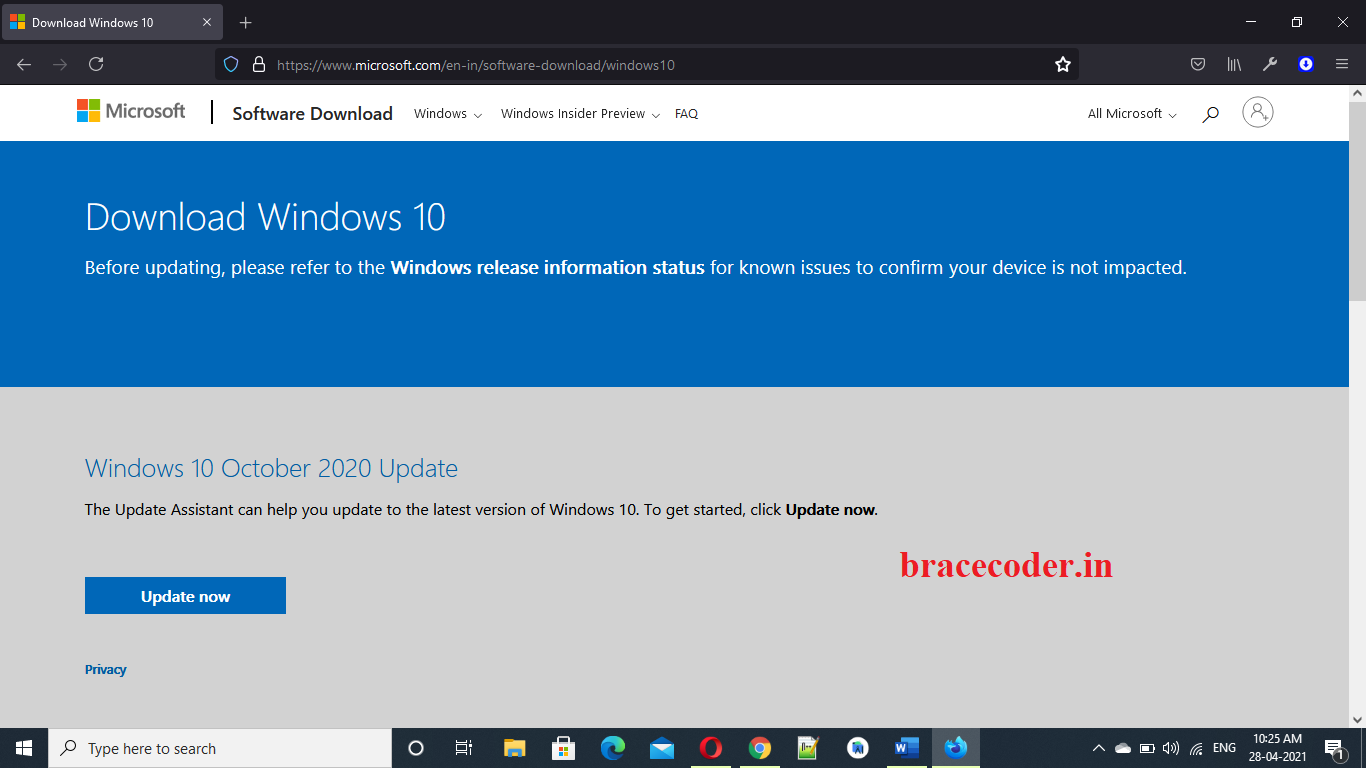
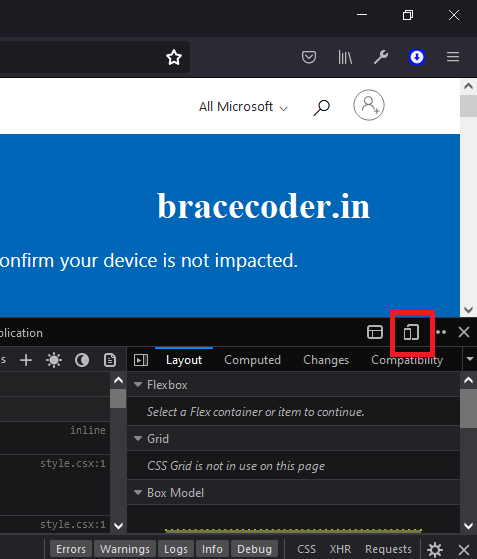
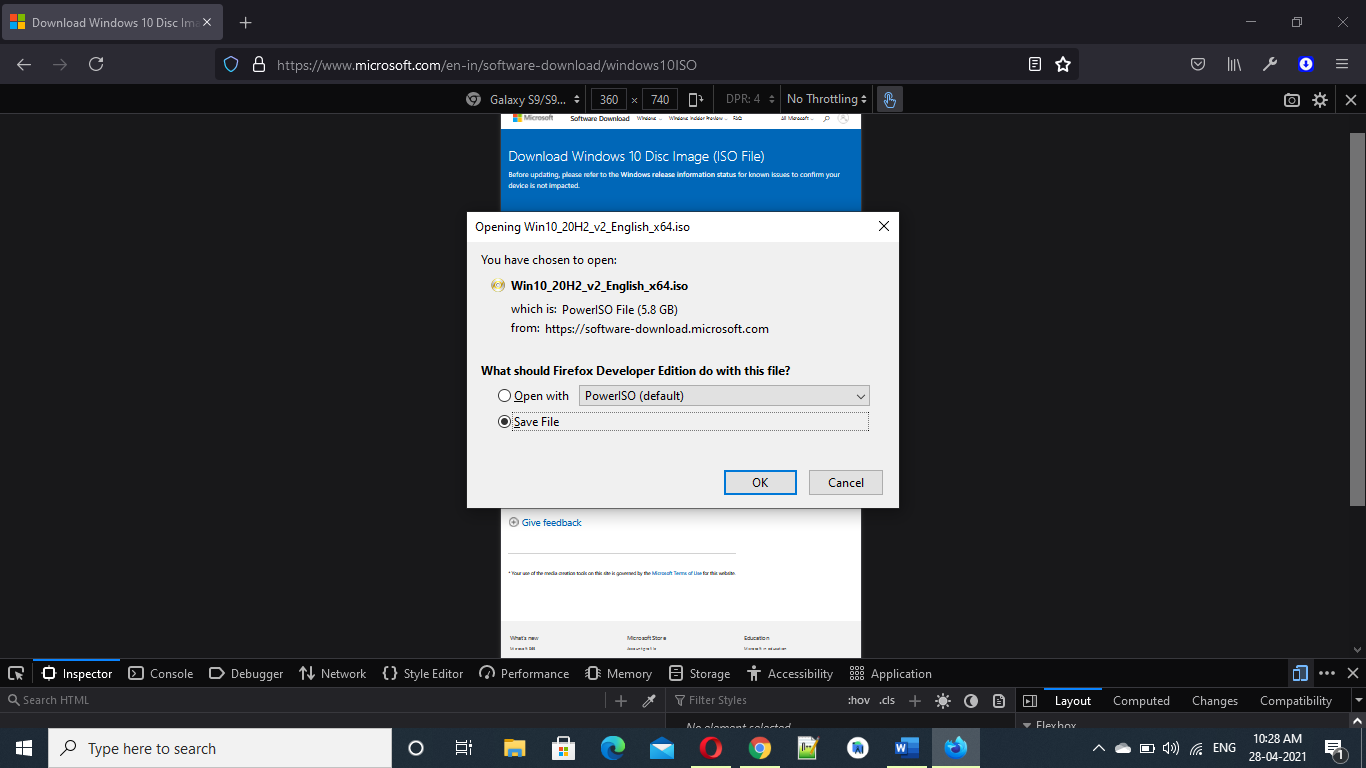
Now, Right click on this webpage and open Inspect window.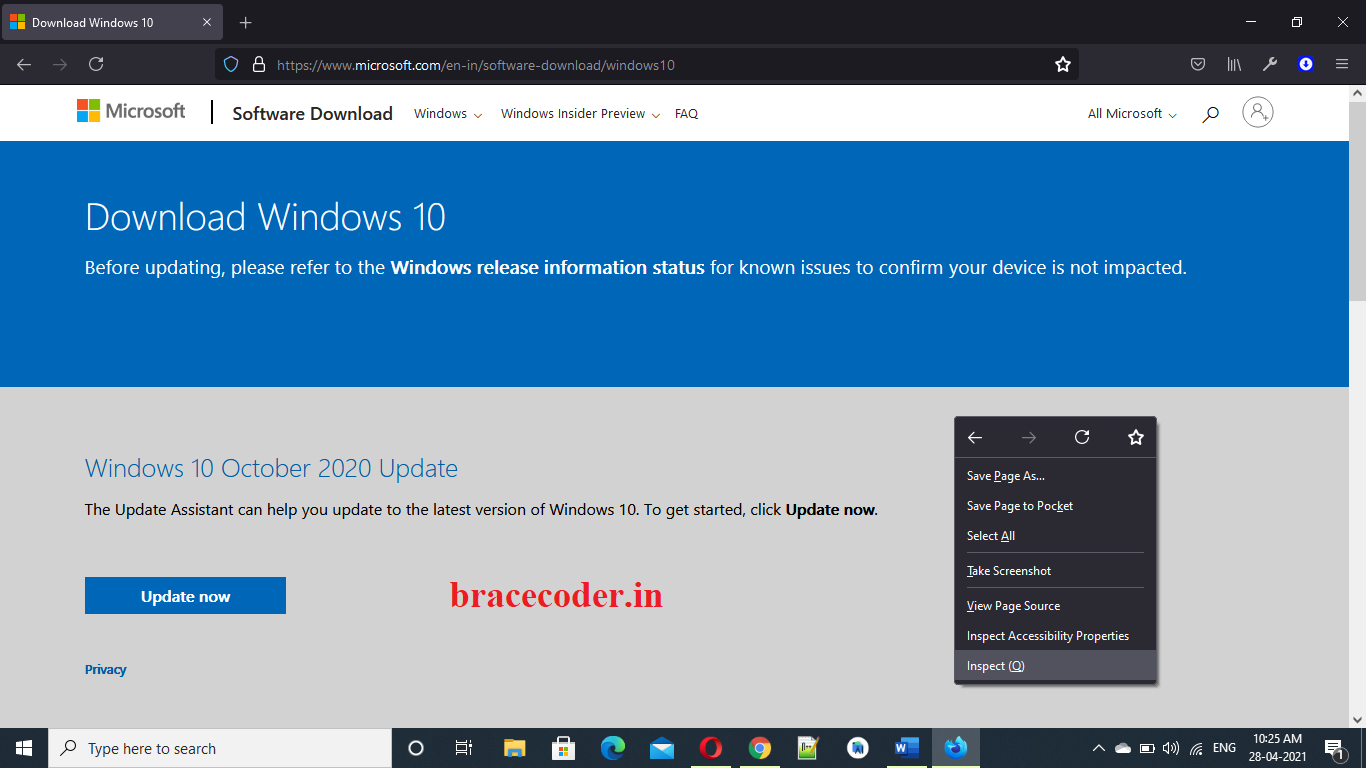 Here left top corner side you can see Toggle device toolbar icon. Click that mobile icon.
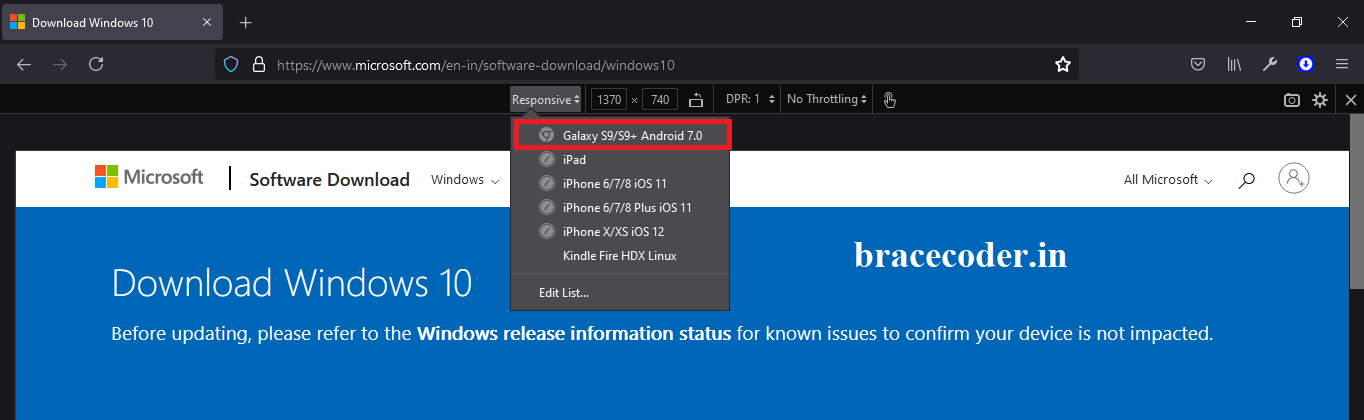
 You can choose different mobile device or changing screen size. Select any mobile device and refresh the page.
 Select latest edition for windows 10 Home and windows 10 pro.
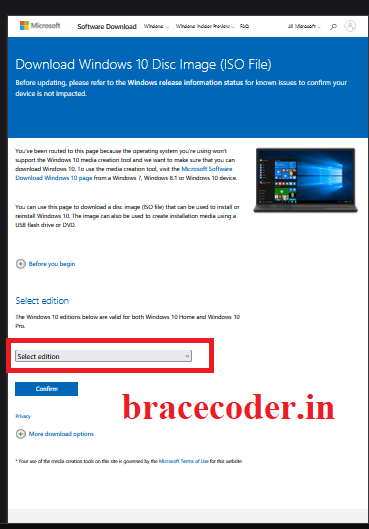
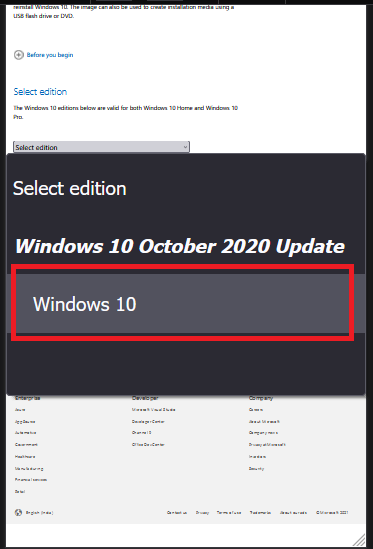 Select product language by default is English.
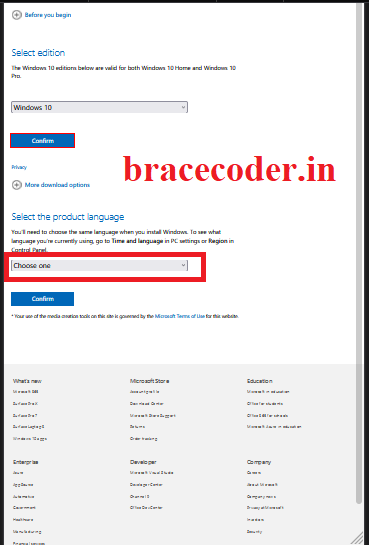
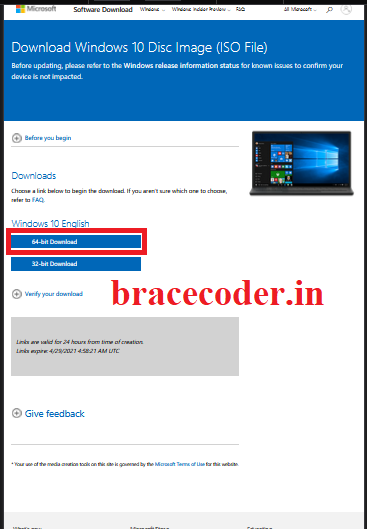
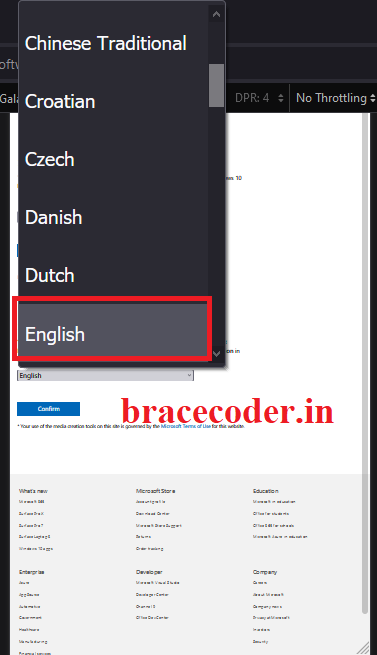 Now you can get direct link for windows 10 64bit or 32bit. (recommended for 64bit). This link validity for 24-48hrs only. In between time you need download 100% complete.
If you don’t know how to download and install a Windows 10 ISO file, we cover the basics. Keep reading to learn what you need to do.
You can get the latest version of Windows 10 Professional here if you don’t have it already.
Now, Right click on this webpage and open Inspect window.
Here left top corner side you can see Toggle device toolbar icon. Click that mobile icon.
You can choose different mobile device or changing screen size. Select any mobile device and refresh the page.
Select latest edition for windows 10 Home and windows 10 pro.
Select product language by default is English.
Now you can get direct link for windows 10 64bit or 32bit. (recommended for 64bit). This link validity for 24-48hrs only. In between time you need download 100% complete.
INFO
I hope above guide is helpful to all of you and you are able to download windows 10 pro. Share this awesome article to your friends as well. Have a nice day.
Frequently asked questions
Why do I need to switch to a mobile device view?
On a Windows PC, Microsoft's download page offers the Media Creation Tool instead of the ISO. With the browser's device toolbar set to a mobile device, the page shows direct ISO download links instead.
How long does the ISO download link work?
The generated link expires after about 24 hours, so start the download straight away and let it finish within that time.
Should I choose 64-bit or 32-bit?
Choose 64-bit for almost every modern PC. The 32-bit version is only for very old hardware with 32-bit processors.
Is this ISO the official Windows 10 download?
Yes, the link comes directly from microsoft.com. You still need a valid Windows licence to activate Windows after installing it.

Comments
0Please sign in to leave a comment.
No comments yet
Be the first to share your thoughts!