
Why we need Archiving mode enable?
To back up the database while it is open (database open mode), or to be able to perform complete or point-in-time media recovery, you must enable the archiving of redo log files. To do so, you place the database in ARCHIVELOG mode.SQLThe database can be initially created in ARCHIVELOG mode, but it is configured for NOARCHIVELOG mode by default.How to check Archive log mode enable or not?
SQL> select sequence#, bytes,archived,status,first_time,next_time from v$log;
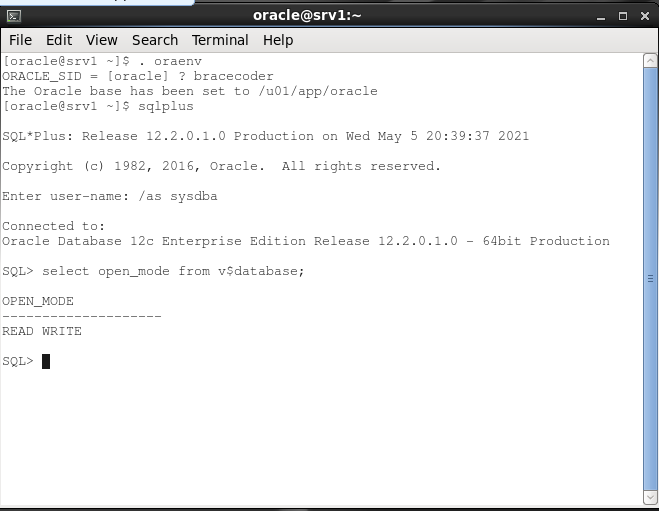

SQL> archive log list

SQL> select log_mode from v$database;

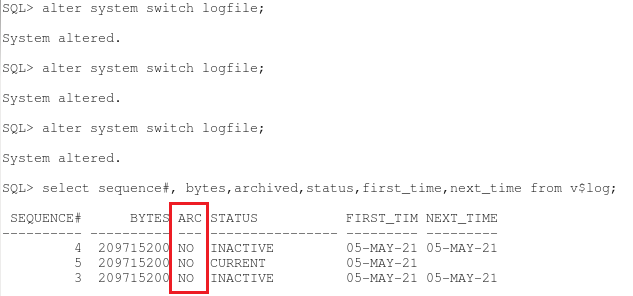
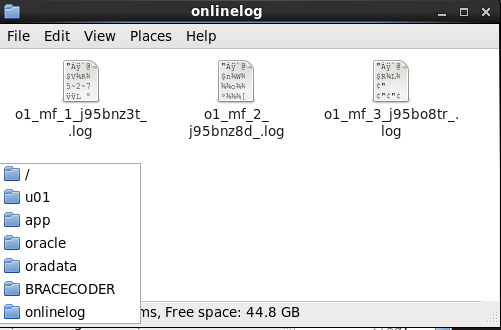
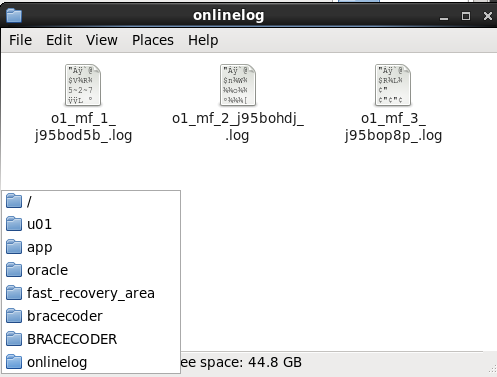
NOARCHIVELOG Mode
By default, a database is created in NOARCHIVELOG mode. The characteristics of operating a database in NOARCHIVELOG mode are as follows:Redo log files are used in a circular fashion.
A redo log file can be reused immediately after a checkpoint has taken place.
After redo logs are overwritten, media recovery is only possible to the last full backup.
Impacts of NOARCHIVELOG Mode If a tablespace becomes unavailable because of a failure, you cannot continue to operate the database until the tablespace has been dropped or the entire database has been restored from backups (Cold backup).
All transactions are recorded in the online redo log files. This allows for automatic recovery of transactions in the event of a database failure
If the database is configured for NOARCHIVELOG mode, no redo history is saved to archived log files, and recovery operations are limited and a loss of transaction work may occur. This is the result of the automatic recycling of log files, where older log files needed for recovery are overwritten and only the most recent part of the transaction history is available.
If the online redo log files have been overwritten, you will lose all data since the last full backup.
You can configure a database in ARCHIVELOG mode, so that a history of redo information is maintained in archived files. The archived redo log files can be used for media recovery.
Media Recovery Options in Archive log mode
You can restore a backup copy of the damaged files and use archived log files to bring the datafiles up-to-date while the database is online or offline.You can recover the database to a specific point in time.
You can recover the database to the end of a specified archived log file.
You can recover the database to a specific system change number (SCN).
Changing the Archiving Mode
Shut down the database
SQL> shut immediate;
 Start the database in Mount state so that you can alter the Archivelog mode of database
SQL> startup mount
 Set the database in Archivelog mode by using the ALTER DATABASE command
SQL> alter database archivelog;
 Open the database
SQL> alter database open;

Check Archive log mode enable or not
SQL> archive log list

SQL> select log_mode from v$database;

INFO
I hope above guide is helpful to all of you and you are able to enable archivelog mode. Share this awesome article to your friends as well. Have a nice day.
Frequently asked questions
Can I enable ARCHIVELOG mode while the database is open?
No. The database must be in MOUNT state:
SHUTDOWN IMMEDIATE, STARTUP MOUNT, ALTER DATABASE ARCHIVELOG;, then ALTER DATABASE OPEN;. Plan a short downtime for it.How do I check whether ARCHIVELOG mode is enabled?
Run
ARCHIVE LOG LIST in SQL*Plus, or SELECT log_mode FROM v$database;. It shows ARCHIVELOG or NOARCHIVELOG.Where are the archived logs written?
To the Fast Recovery Area if
DB_RECOVERY_FILE_DEST is set, otherwise to the locations in LOG_ARCHIVE_DEST_n. ARCHIVE LOG LIST shows the current destination.What happens if the archive destination fills up?
The database stops processing changes until space is freed, because it cannot overwrite redo logs that are not archived yet. Back up archived logs regularly with RMAN and delete them once they are backed up.
What do I lose by staying in NOARCHIVELOG mode?
You can only restore to your last full (cold) backup, so every change since then is lost. Online backups and point-in-time recovery are not possible.
Comments
0Please sign in to leave a comment.
No comments yet
Be the first to share your thoughts!