In the realm of database management, performance testing plays a crucial role in ensuring optimal functionality and efficiency. Oracle Database, renowned for its robustness and scalability, requires thorough performance evaluation to maintain peak operational conditions. One valuable tool in this regard is Swingbench, a versatile and widely used benchmarking tool specifically designed for Oracle Database.
Swingbench is an open-source tool developed by Dominic Giles, an Oracle evangelist, primarily aimed at simulating the workload of a typical Oracle Database environment. It provides a comprehensive set of tools and utilities to create and execute realistic benchmarks, helping database administrators (DBAs) and developers gauge the performance capabilities of their Oracle setups under various scenarios.
Getting started with Swingbench involves a few straightforward steps:
Step 1:
Click Here to Download the Swingbench4112023.zip file on your local computer.
Step 2:
Extract the downloaded file into your local computer.
Step 3:
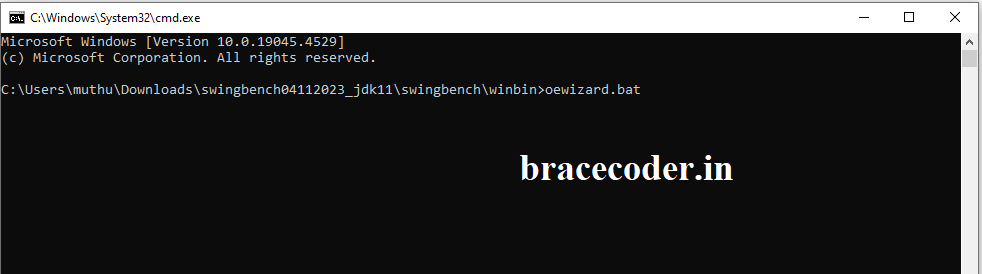
Go to the extracted folder swingbench/winbin/. Now run cmd inside the winbin folder and run below file.
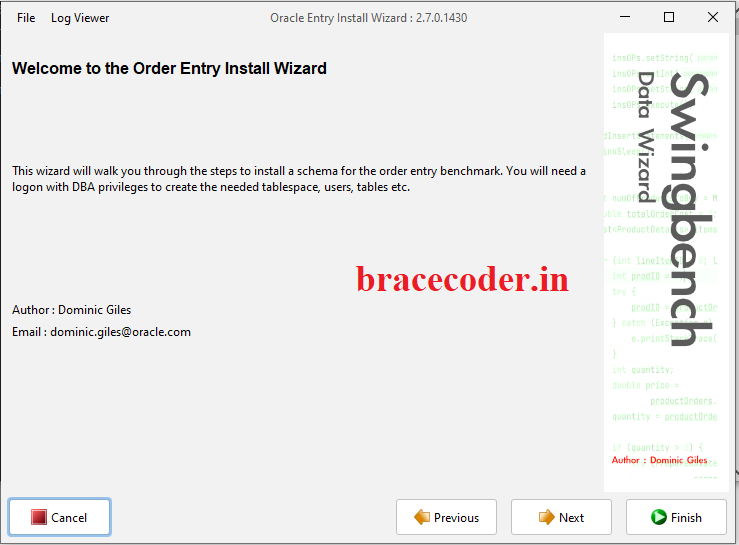
Step 4: Click next
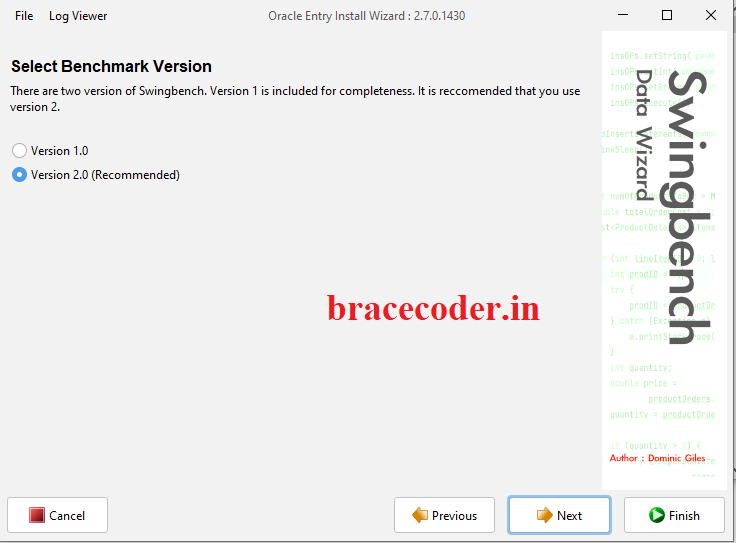
Step 5: select version 2.0 and click next
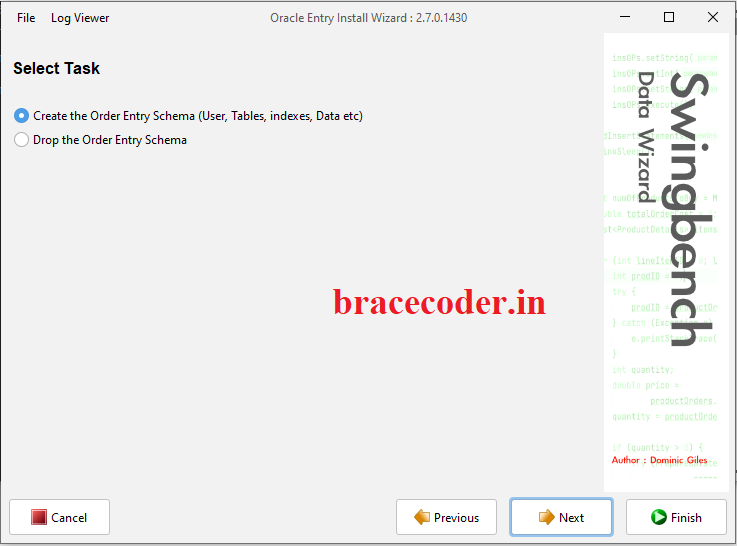
Step 6: Select create the Order entry schema and click next
Step 7: Enter your connecting string as your local VM server details and admin password. Click next
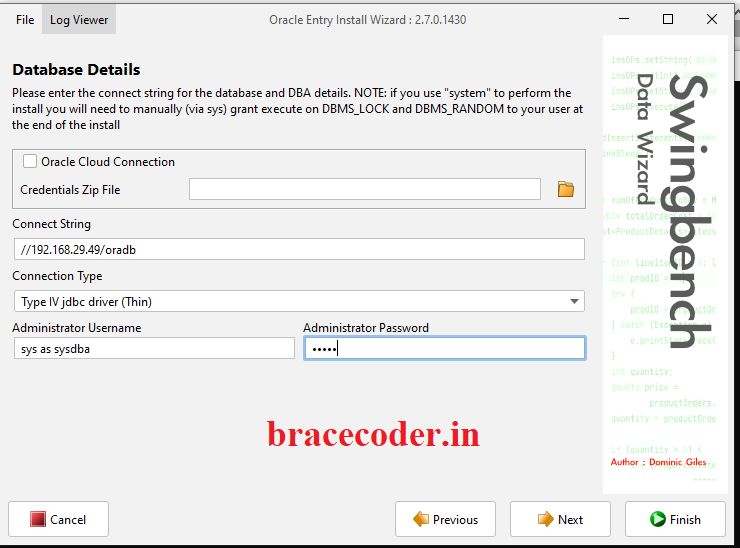
Step 8: Fill your schema name which is already created in the database and click next
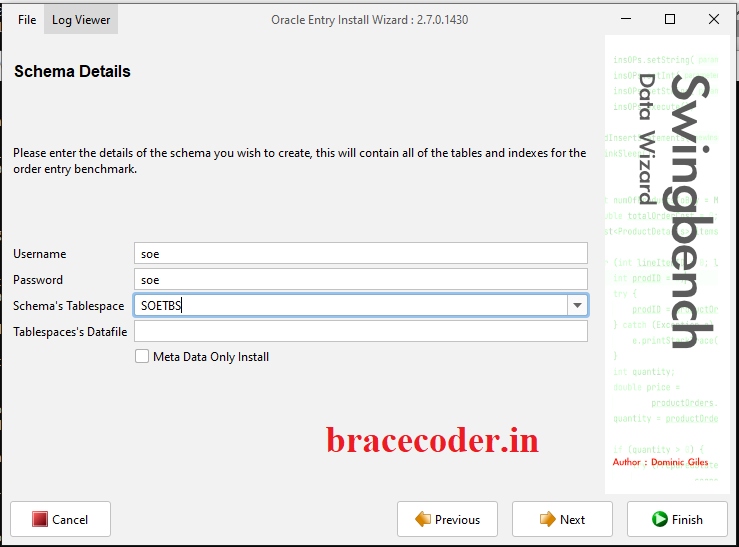
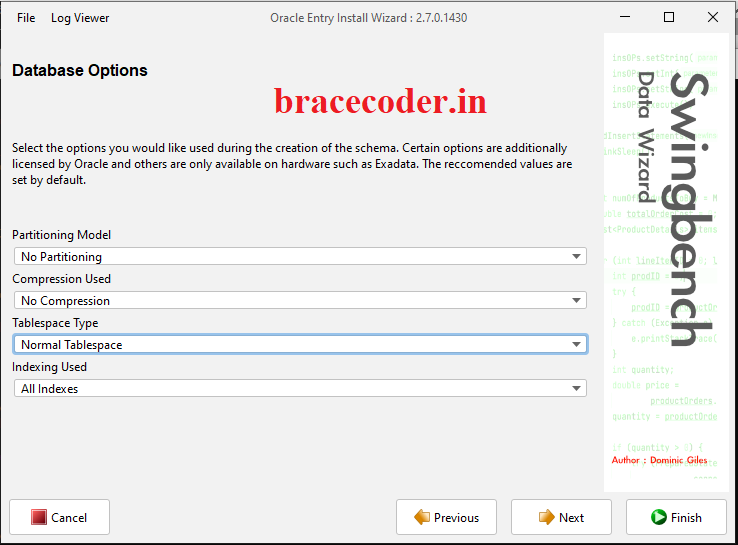
Step 9: Tablespace type: Normal Tablespace. Click next
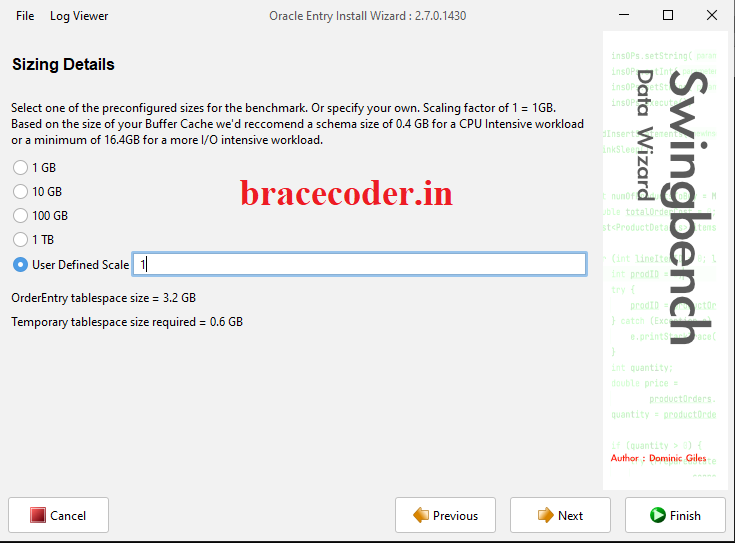
Step 10: define your data size as GB(0.50MB) and click next
Step 11: select level of parallelism as your wish and click next.
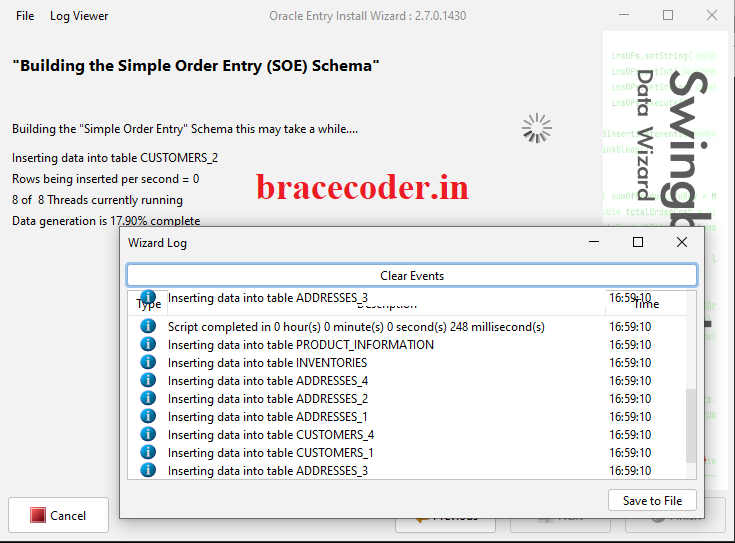
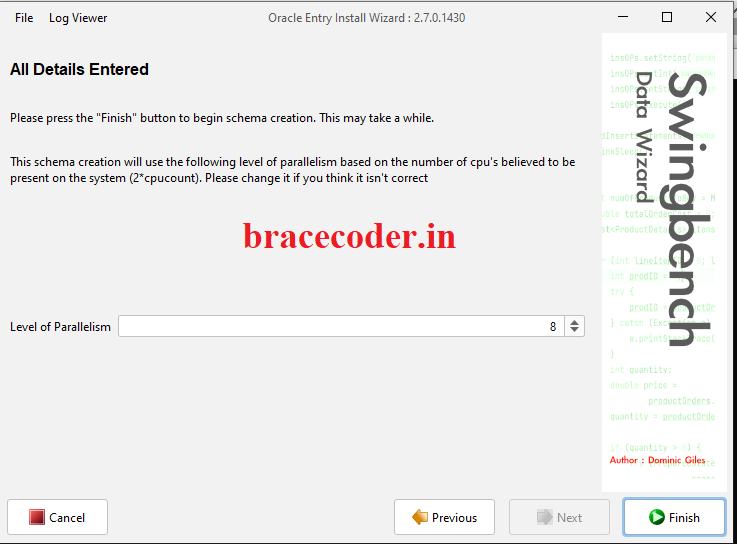 Step 12: Now started generate data on your database. It will may take a while as per data size.
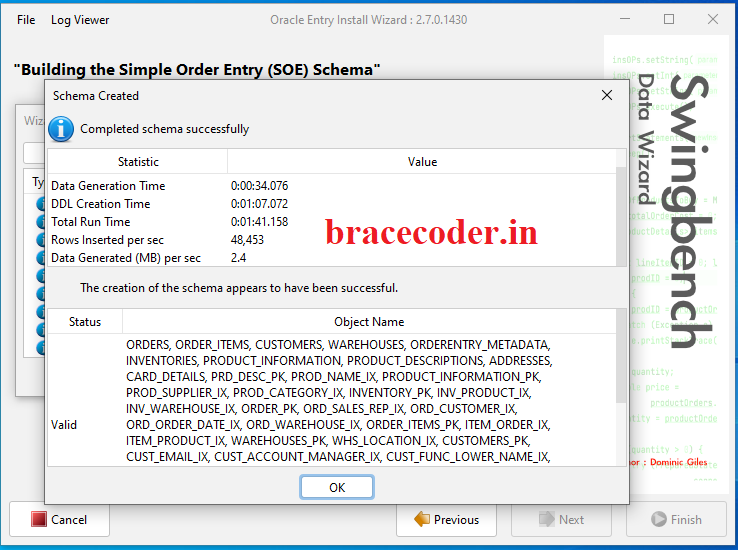
Step 13: Completed successfully.
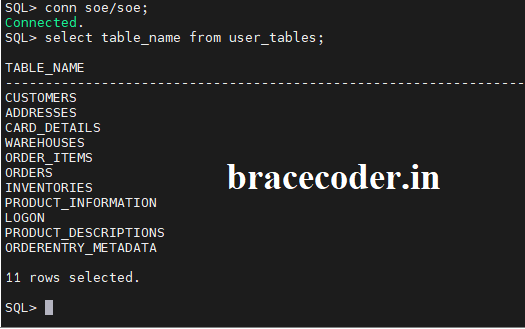
Step 14: Login as SOE user and check the what are the tables are generated.
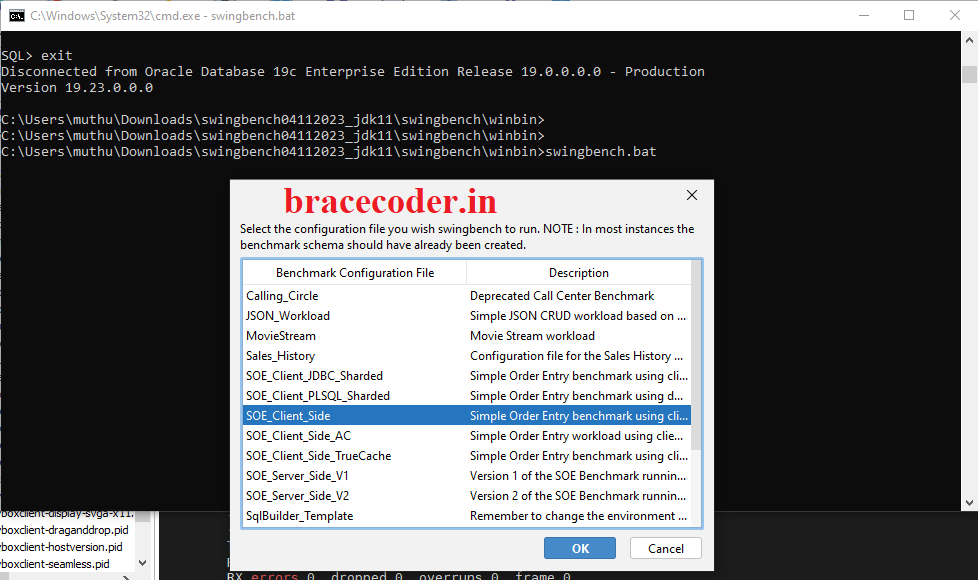
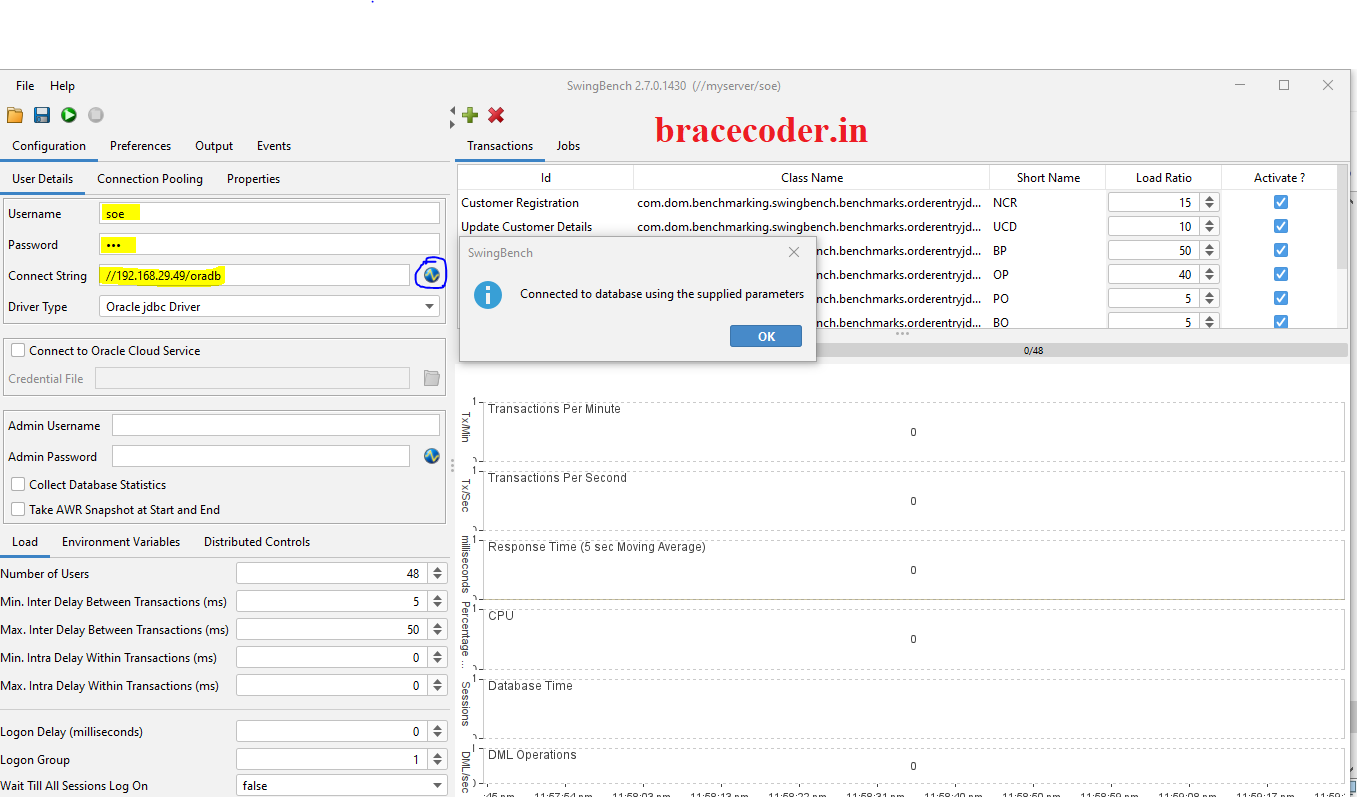
What is Swingbench?
Swingbench is an open-source tool developed by Dominic Giles, an Oracle evangelist, primarily aimed at simulating the workload of a typical Oracle Database environment. It provides a comprehensive set of tools and utilities to create and execute realistic benchmarks, helping database administrators (DBAs) and developers gauge the performance capabilities of their Oracle setups under various scenarios.
Key Features of Swingbench:
- Workload Simulation: Swingbench allows users to simulate different types of workloads such as OLTP (Online Transaction Processing), Data Warehousing, and mixed workloads. This helps in understanding how the database handles varying loads and queries.
- Customizable Workloads: Users can configure and customize workloads by defining parameters like the number of users, transaction rates, and types of SQL operations (e.g., selects, inserts, updates).
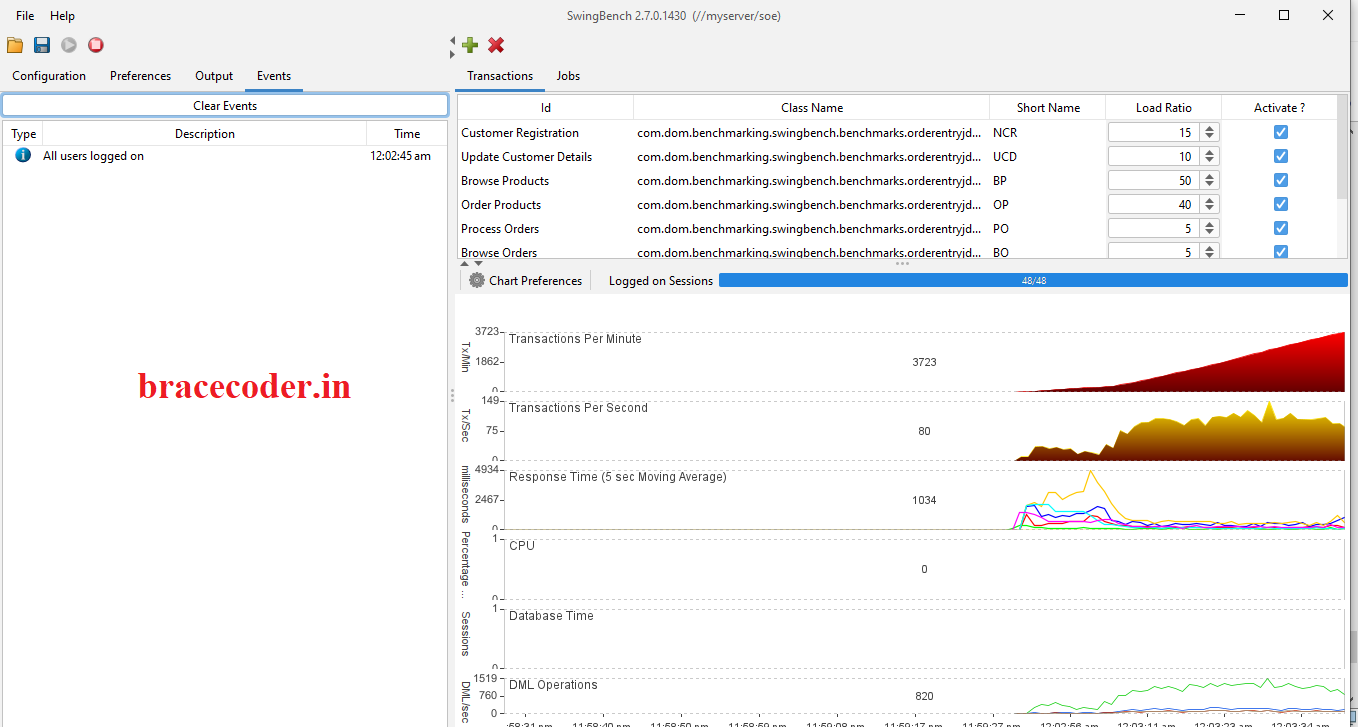
- Monitoring and Reporting: Swingbench provides real-time monitoring of key performance metrics such as transactions per second (TPS), response times, and system resource utilization. Detailed reports and graphs help in analyzing performance trends and identifying bottlenecks.
- Scalability Testing: DBAs can use Swingbench to test the scalability of Oracle Database by gradually increasing the workload and observing how the system responds under heavy load conditions.
- Integration with Oracle Features: It integrates seamlessly with Oracle features like Oracle Real Application Clusters (RAC) and Oracle Enterprise Manager (OEM), allowing for comprehensive testing in clustered environments.
How to Use Swingbench:
Getting started with Swingbench involves a few straightforward steps:
Step 1:
Click Here to Download the Swingbench4112023.zip file on your local computer.
Step 2:
Extract the downloaded file into your local computer.
Step 3:
Go to the extracted folder swingbench/winbin/. Now run cmd inside the winbin folder and run below file.
oewizard.bat
Step 4: Click next
Step 5: select version 2.0 and click next
Step 6: Select create the Order entry schema and click next
Step 7: Enter your connecting string as your local VM server details and admin password. Click next
Step 8: Fill your schema name which is already created in the database and click next
SQL> Create tablespace soetbs datafile '+DATA' size 50m autoextend on next 200m maxsize 30g;

Tablespace created.

SQL>
SQL>  select name from v$tempfile;

NAME
--------------------------------------------------------------------------------
+DATA/ORADB/TEMPFILE/temp.265.1203457009

SQL> alter database tempfile '+DATA/ORADB/TEMPFILE/temp.265.1203457009' resize 2g;

Database altered.

SQL>Step 9: Tablespace type: Normal Tablespace. Click next
Step 10: define your data size as GB(0.50MB) and click next
Step 11: select level of parallelism as your wish and click next.
Step 12: Now started generate data on your database. It will may take a while as per data size.
Step 13: Completed successfully.
Step 14: Login as SOE user and check the what are the tables are generated.
Benefits of Using Swingbench:
- Accuracy: Provides a realistic simulation of Oracle Database workloads, enabling precise performance assessment.
- Flexibility: Supports customization of workloads to replicate specific user scenarios and business processes.
- Cost-effectiveness: Being open-source, Swingbench offers a cost-effective solution compared to proprietary benchmarking tools.
- Community Support: Benefits from an active community and regular updates, ensuring compatibility with the latest Oracle Database versions.
Conclusion
Swingbench stands out as a valuable tool in the arsenal of Oracle Database administrators and developers, offering powerful capabilities to stress-test and fine-tune database performance. Whether you’re planning an upgrade, assessing hardware requirements, or optimizing queries, Swingbench provides the insights needed to ensure your Oracle Database operates at peak efficiency. Embrace Swingbench to empower your performance testing efforts and unlock the full potential of Oracle Database infrastructure.Frequently asked questions
Is Swingbench free?
Yes. Swingbench is free to download and use for load-testing Oracle databases. It was created by Dominic Giles.
What do I need on my computer to run it?
Swingbench is a Java application, so you need a recent Java installed (check the download page for the required version) and network access to the database's listener.
Can I run Swingbench on Linux?
Yes. Use the scripts in the
bin folder (for example ./oewizard) instead of the .bat files in winbin.Why create a tablespace and resize TEMP first?
The wizard loads the Order Entry (SOE) schema into the tablespace you choose, and building its indexes uses temporary space. With too little of either, the data generation fails partway through.
How do I remove the benchmark schema afterwards?
Run the wizard again and choose to drop the Order Entry schema, or as a DBA run
DROP USER soe CASCADE; and then drop its tablespace.
Comments
0Please sign in to leave a comment.
No comments yet
Be the first to share your thoughts!