The scenario
A standard 19c physical standby was already built and syncing through a manually configured LOG_ARCHIVE_DEST_2. The next step was to hand redo transport management over to the Data Guard broker.
| Item | Value |
|---|---|
| Primary DB_UNIQUE_NAME | oradb |
| Standby DB_UNIQUE_NAME | oradb_stby |
| Broker configuration | DG_ORADB |
| Version | Oracle 19.3.0.0.0 (DGMGRL for Linux) |
| Protection mode | MaxPerformance |
Creating the configuration worked fine:
DGMGRL> CREATE CONFIGURATION 'DG_ORADB'
          AS PRIMARY DATABASE IS 'oradb'
          CONNECT IDENTIFIER IS oradb;
Configuration "DG_ORADB" created with primary database "oradb"
Adding the standby did not:
DGMGRL> ADD DATABASE 'oradb_stby'
          AS CONNECT IDENTIFIER IS oradb_stby
          MAINTAINED AS PHYSICAL;
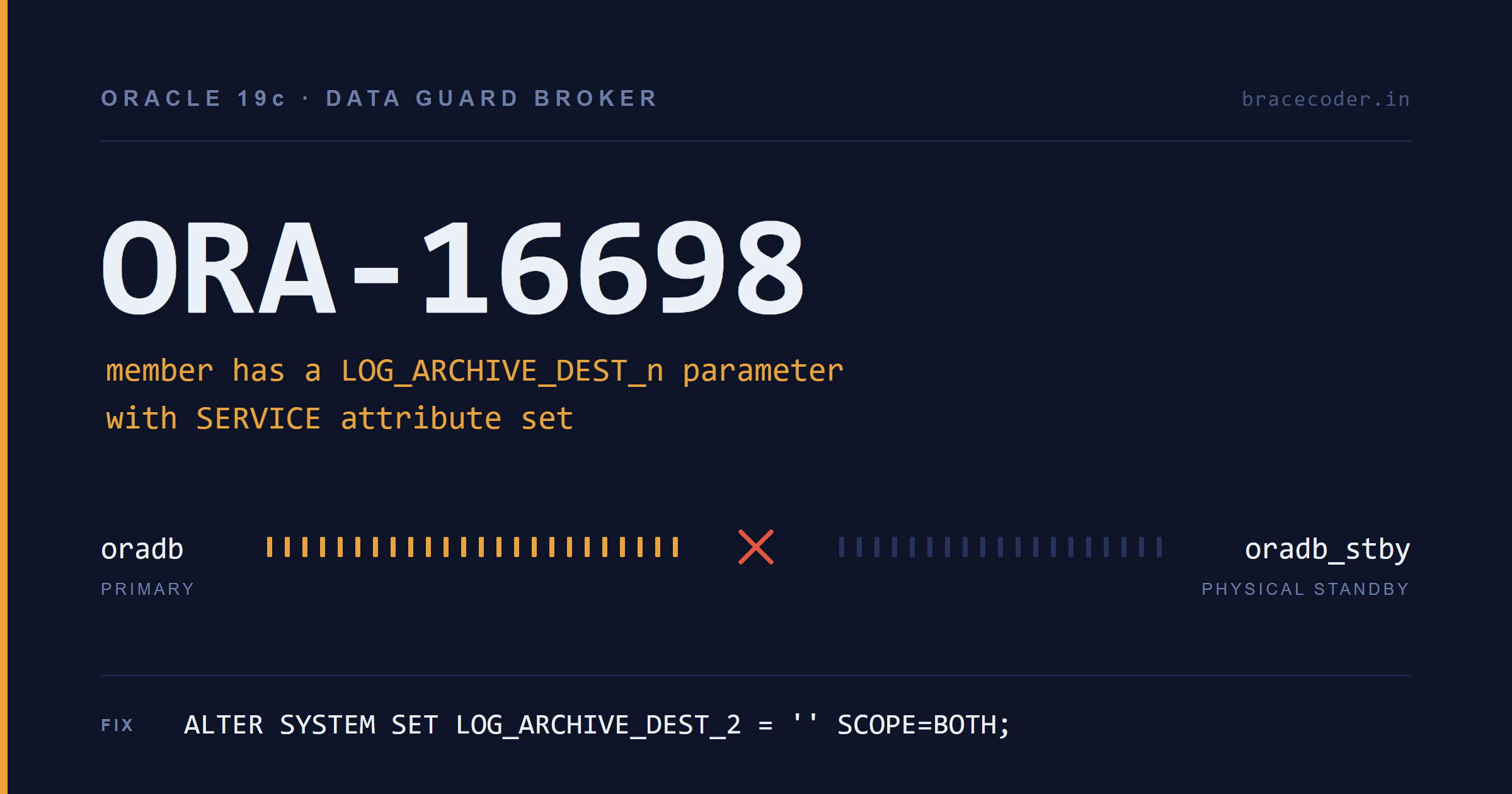
Error: ORA-16698: member has a LOG_ARCHIVE_DEST_n parameter with SERVICE attribute set
Failed.
Why ORA-16698 happens
The broker does not co-exist with hand-built redo transport. Once a database is part of a broker configuration, redo transport is driven entirely by broker properties — LogXptMode, RedoRoutes, NetTimeout, ReopenSecs, and so on — and the broker itself writes the corresponding LOG_ARCHIVE_DEST_n values into the SPFILE at enable time.
If it finds a destination you configured yourself, it has no safe way to reconcile the two sets of settings, so it stops before creating any state. That's what the error text is telling you literally: some member has a LOG_ARCHIVE_DEST_n whose attribute list includes SERVICE=.
Two details worth internalising:
- Only SERVICE-based destinations matter.
LOG_ARCHIVE_DEST_1pointing at a localLOCATION=(orUSE_DB_RECOVERY_FILE_DEST) is a local archival destination and is perfectly fine. The broker never touches it. - "Member" means either database. The error surfaced during
ADD DATABASE, but the offending parameter can live on the primary, the standby, or both. A standby built for switchover very often has its ownLOG_ARCHIVE_DEST_2pointing back at the primary, deferred. That one triggers ORA-16698 just as easily.
The fix
Clear the manually configured SERVICE destination. Run this on the database that owns it — and check both sides:
-- Check first, on primary AND standby
SQL> SELECT dest_id, dest_name, destination, status, target
     FROM   v$archive_dest
     WHERE  destination IS NOT NULL;

-- Clear the manual transport destination
SQL> ALTER SYSTEM SET LOG_ARCHIVE_DEST_2 = '' SCOPE=BOTH;
System altered.

-- If a state parameter was also set explicitly, reset it
SQL> ALTER SYSTEM RESET LOG_ARCHIVE_DEST_STATE_2 SCOPE=SPFILE;
SCOPE=BOTH matters. Clearing memory only leaves the value in the SPFILE, and the broker will trip over it again after the next restart — or worse, re-establish a duplicate destination.
Be aware that between clearing the parameter and enabling the configuration, redo is not shipping. Keep the window short; on a busy primary, plan it as a brief change rather than an open-ended troubleshooting session.
Then reconnect and retry:
[oracle@dg1 ~]$ dgmgrl /
DGMGRL for Linux: Release 19.0.0.0.0 - Production on Wed Jul 22 17:02:38 2026
Version 19.3.0.0.0
Connected to "oradb"
Connected as SYSDG.

DGMGRL> ADD DATABASE 'oradb_stby'
          AS CONNECT IDENTIFIER IS oradb_stby
          MAINTAINED AS PHYSICAL;
Database "oradb_stby" added

DGMGRL> ENABLE CONFIGURATION;
Enabled.
Verification
SHOW CONFIGURATION confirms both members and the overall status:
DGMGRL> SHOW CONFIGURATION;

Configuration - DG_ORADB

  Protection Mode: MaxPerformance
  Members:
  oradb      - Primary database
    oradb_stby - Physical standby database

Fast-Start Failover:  Disabled

Configuration Status:
SUCCESS   (status updated 1 second ago)
SHOW CONFIGURATION LAG is the more useful daily command — it adds transport and apply lag without needing a second query:
DGMGRL> SHOW CONFIGURATION LAG;

  oradb      - Primary database
    oradb_stby - Physical standby database
                 Transport Lag:      0 seconds (computed 11 seconds ago)
                 Apply Lag:          0 seconds (computed 11 seconds ago)

Configuration Status:
SUCCESS   (status updated 20 seconds ago)
Zero on both counters means redo is reaching the standby and MRP is applying it — the two are independent, and a healthy transport lag with a growing apply lag is a very different problem from both climbing together.
A few more checks worth running once, immediately after enabling:
DGMGRL> SHOW DATABASE VERBOSE 'oradb_stby';
DGMGRL> VALIDATE DATABASE 'oradb_stby';
VALIDATE DATABASE is the single highest-value command here. It reports standby redo log adequacy, datafile/tempfile mismatches, flashback status, apply-related property differences, and whether the database is ready for switchover — problems that SHOW CONFIGURATION will happily report as SUCCESS while hiding.
And confirm the broker actually took over transport, from SQL*Plus on the primary:
SQL> SHOW PARAMETER log_archive_dest_2You should now see a broker-generated destination containing SERVICE="oradb_stby", along with attributes like LGWR ASYNC, NOAFFIRM, DELAY=0, VALID_FOR=(ONLINE_LOGFILE,ALL_ROLES) and DB_UNIQUE_NAME=oradb_stby. The broker may not reuse slot 2 — it picks the next free LOG_ARCHIVE_DEST_n, so don't be surprised to find it in dest 3 or beyond.
Gotchas after the configuration is enabled
Never edit LOG_ARCHIVE_DEST_n by hand again. Once the configuration is enabled, manual changes are either overwritten by the broker or cause the configuration to report warnings and property mismatches. Use DGMGRL properties instead:
DGMGRL> EDIT DATABASE 'oradb_stby' SET PROPERTY LogXptMode='SYNC';
DGMGRL> EDIT DATABASE 'oradb_stby' SET PROPERTY NetTimeout=30;
DGMGRL> EDIT DATABASE 'oradb_stby' SET PROPERTY DelayMins=0;
Prerequisites that cause neighbouring errors. If CREATE CONFIGURATION itself had failed, the usual causes are DG_BROKER_START=FALSE (set it to TRUE on both databases) or broker config files on shared/duplicated paths — set DG_BROKER_CONFIG_FILE1 and DG_BROKER_CONFIG_FILE2 to distinct locations per database, and on RAC put them on shared storage.
Static listener registration. For the broker to restart an instance during switchover or failover, register a static service in listener.ora on both hosts:
SID_LIST_LISTENER =
  (SID_LIST =
    (SID_DESC =
      (GLOBAL_DBNAME = oradb_stby_DGMGRL)
      (ORACLE_HOME = /u01/app/oracle/product/19.0.0/dbhome_1)
      (SID_NAME = oradb)))
The _DGMGRL suffix on DB_UNIQUE_NAME is the convention the broker looks for. Skip this and switchover fails midway with the standby down and no way for the broker to bring it back.
TNS entries must resolve from both sides. The CONNECT IDENTIFIER values (oradb, oradb_stby) have to resolve from every host in the configuration, not just the one you're typing on. The broker uses them for its own inter-database communication.
Summary
ORA-16698 isn't really an error — it's the broker refusing to inherit a half-managed configuration. The remedy is a single parameter clear, but the reasoning behind it sets the rule you live with from then on: after the broker is enabled, redo transport belongs to broker properties, and LOG_ARCHIVE_DEST_n becomes read-only territory.
ALTER SYSTEM SET LOG_ARCHIVE_DEST_2 = '' SCOPE=BOTH;Check both databases, clear only SERVICE-based destinations, leave the local one alone, then ADD DATABASE, ENABLE CONFIGURATION, and validate.
Frequently asked questions
Which LOG_ARCHIVE_DEST_n parameters do I need to clear?
I cleared it on the primary but still get ORA-16698. Why?
v$archive_dest on both sides and clear it there too.Why does SCOPE=BOTH matter?
Does redo stop shipping during the fix?
ENABLE CONFIGURATION, no redo is sent to the standby, so keep that window short on a busy primary.How do I change redo transport settings once the broker is enabled?
EDIT DATABASE 'oradb_stby' SET PROPERTY LogXptMode='SYNC';. Don't edit LOG_ARCHIVE_DEST_n by hand: the broker overwrites it or reports a mismatch.Why do I need a static _DGMGRL listener entry?
<db_unique_name>_DGMGRL to do so. Without it, a switchover can stop halfway with the standby down.

Comments
0Please sign in to leave a comment.
No comments yet
Be the first to share your thoughts!