
Oracle Database 19c is the latest long-term support release of the Oracle Database software from Oracle Corporation. It was officially released in January 2019, succeeding Oracle Database 18c.
Oracle Database 19c is a Long-Term Support (LTS) release, which means it is designed to provide stability, reliability, and support for an extended period. Customers who require a stable and well-supported version of the database generally opt for LTS releases, as they offer long-term maintenance and bug fixes.

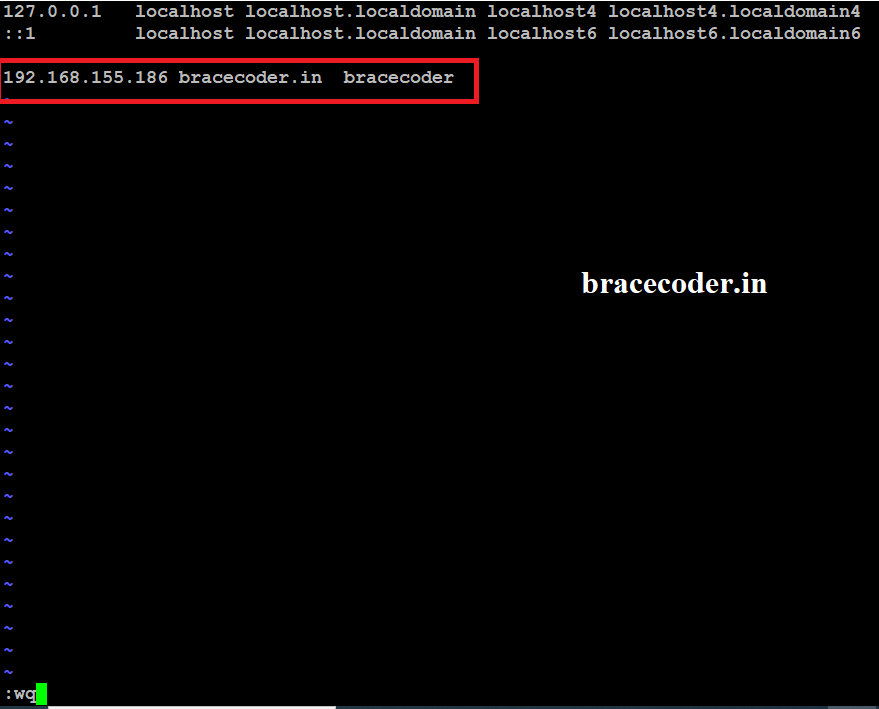
Edit the file /etc/hosts as given below screenshot as per your output and save it.
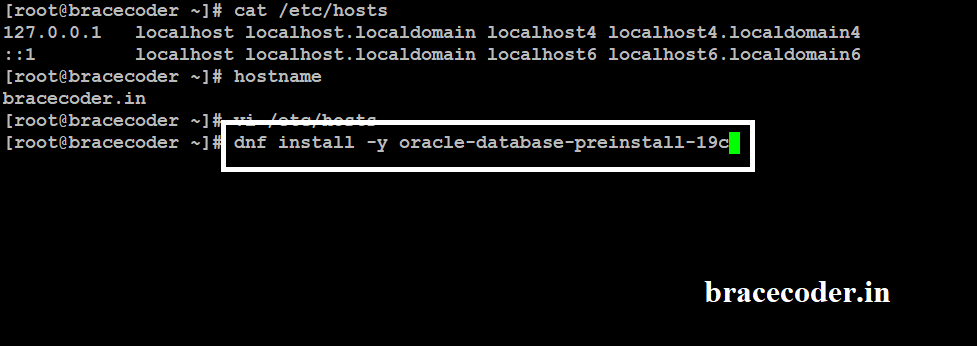
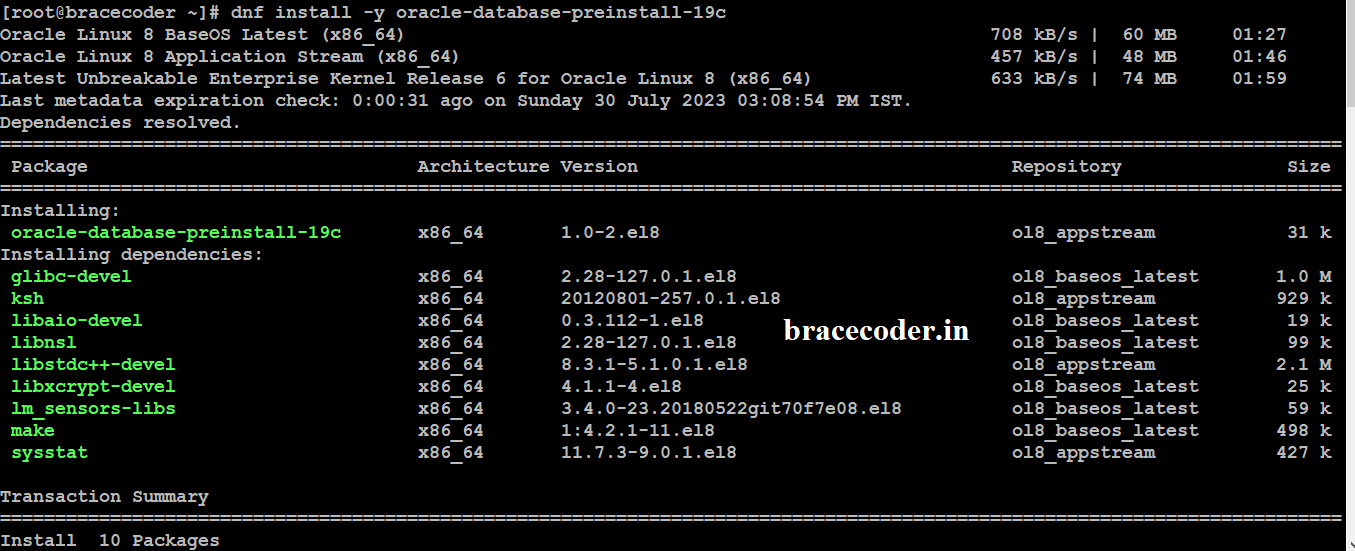
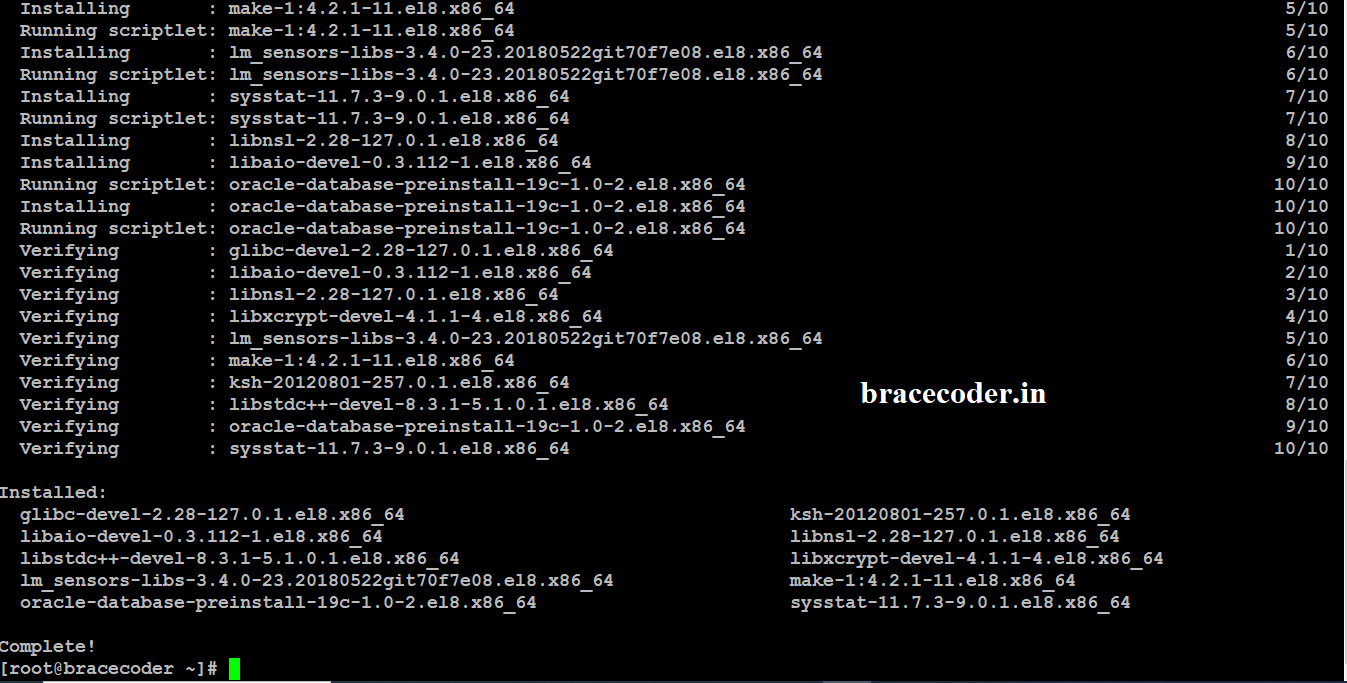
 Run dnf install -y oracle-database-preinstall-19c command. It will install the pre-requirement software and Configuration
Oracle user account will be created as per above command. Now set Oracle user account password

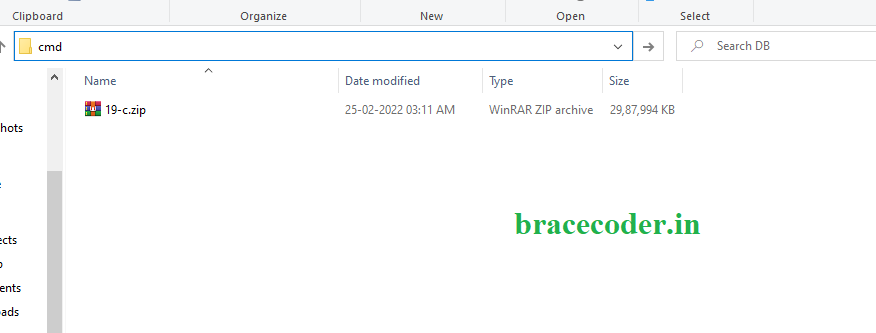
Now copy the Oracle 19c.zip file from windows to Linux server as per below shown screenshot.

 Stop the firewall in oracle Linux server and create new directory for use to oracle database home directory
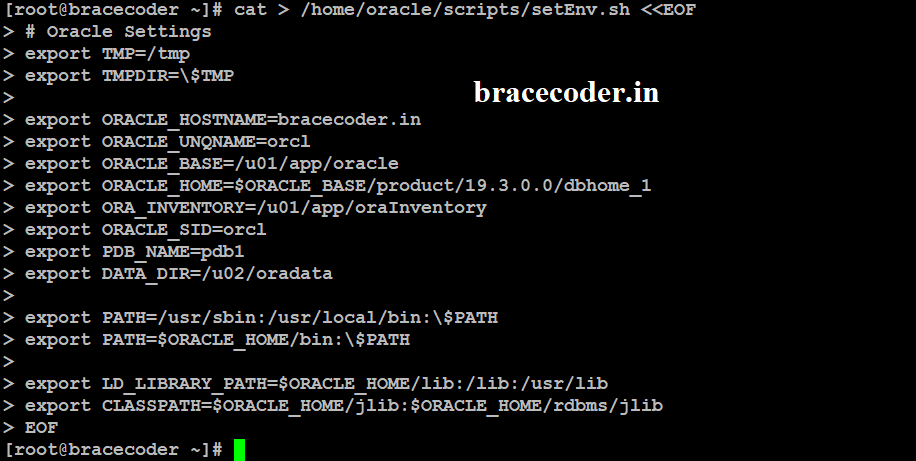
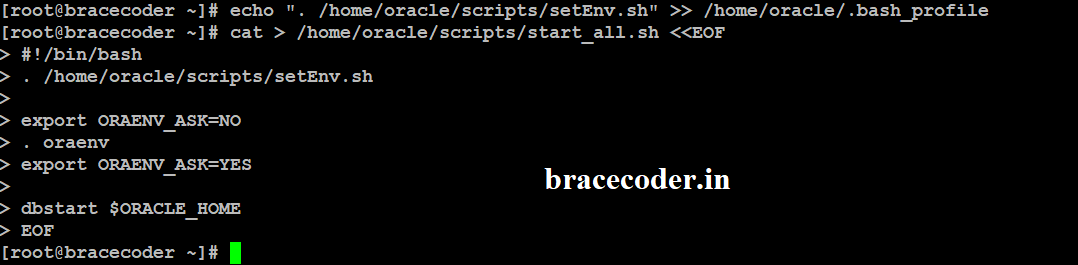
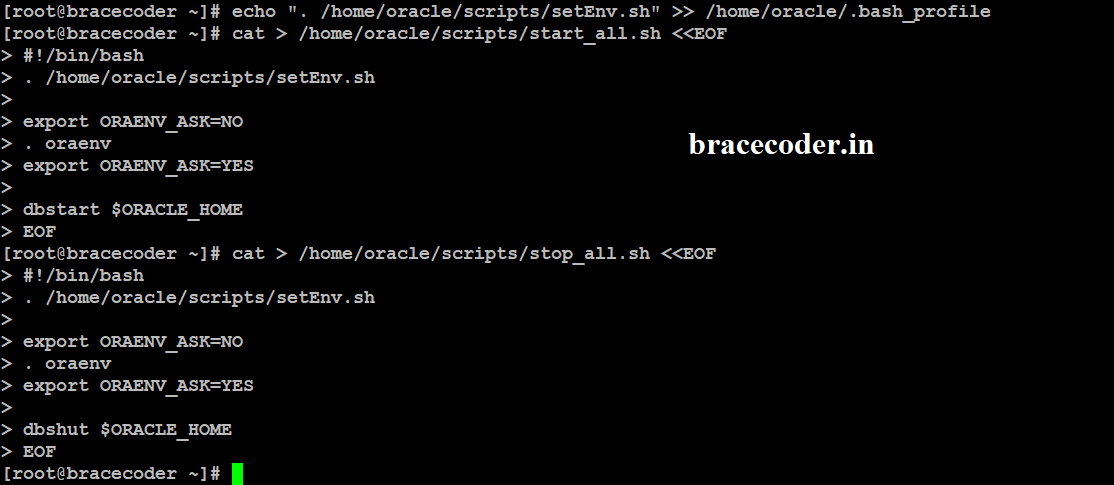
 Below steps are not mandatory. If you want to start database when server back to restart you can use the below scripts file.

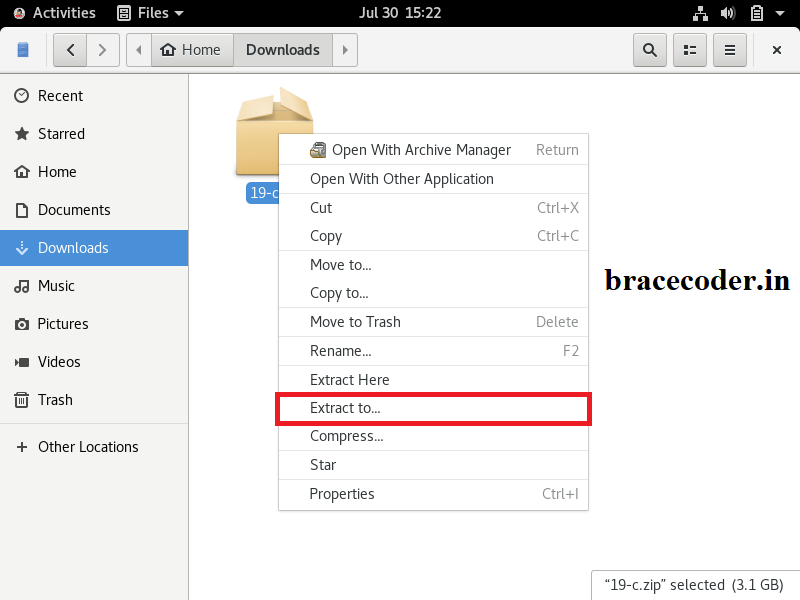
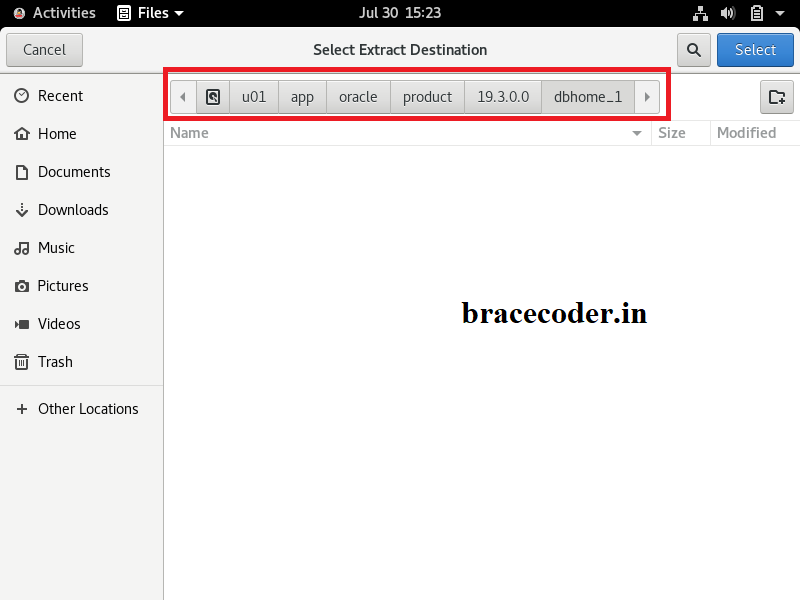
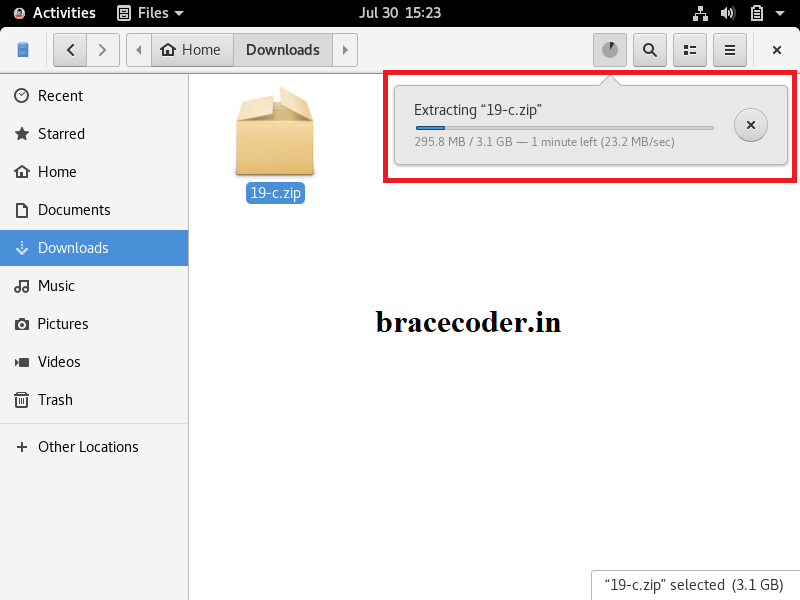
 Now Extract the 19c file where we copied to Oracle home (/u01/app/oracle/product/19.3.0.0/dbhome_1).
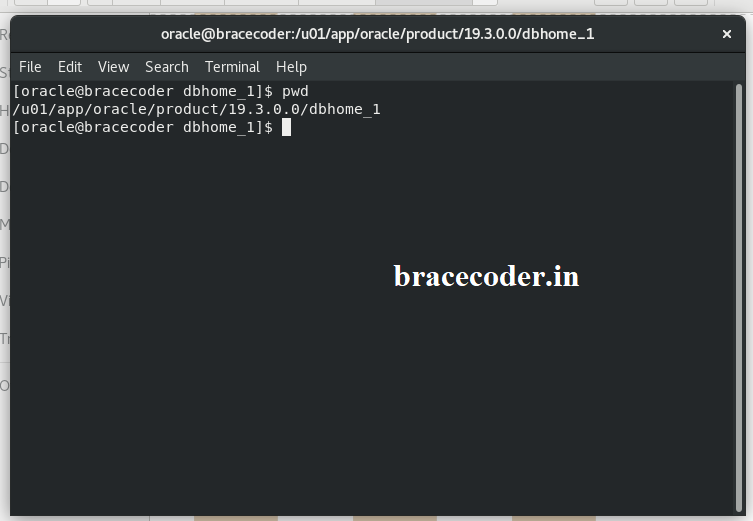
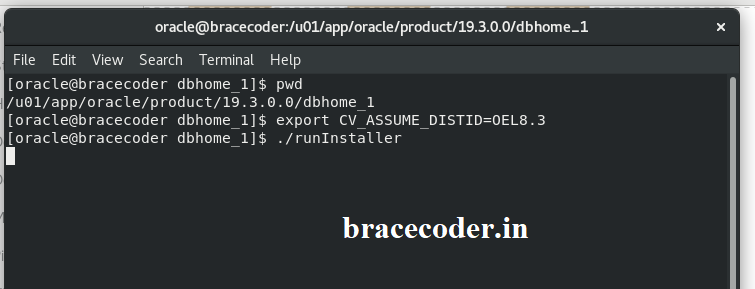
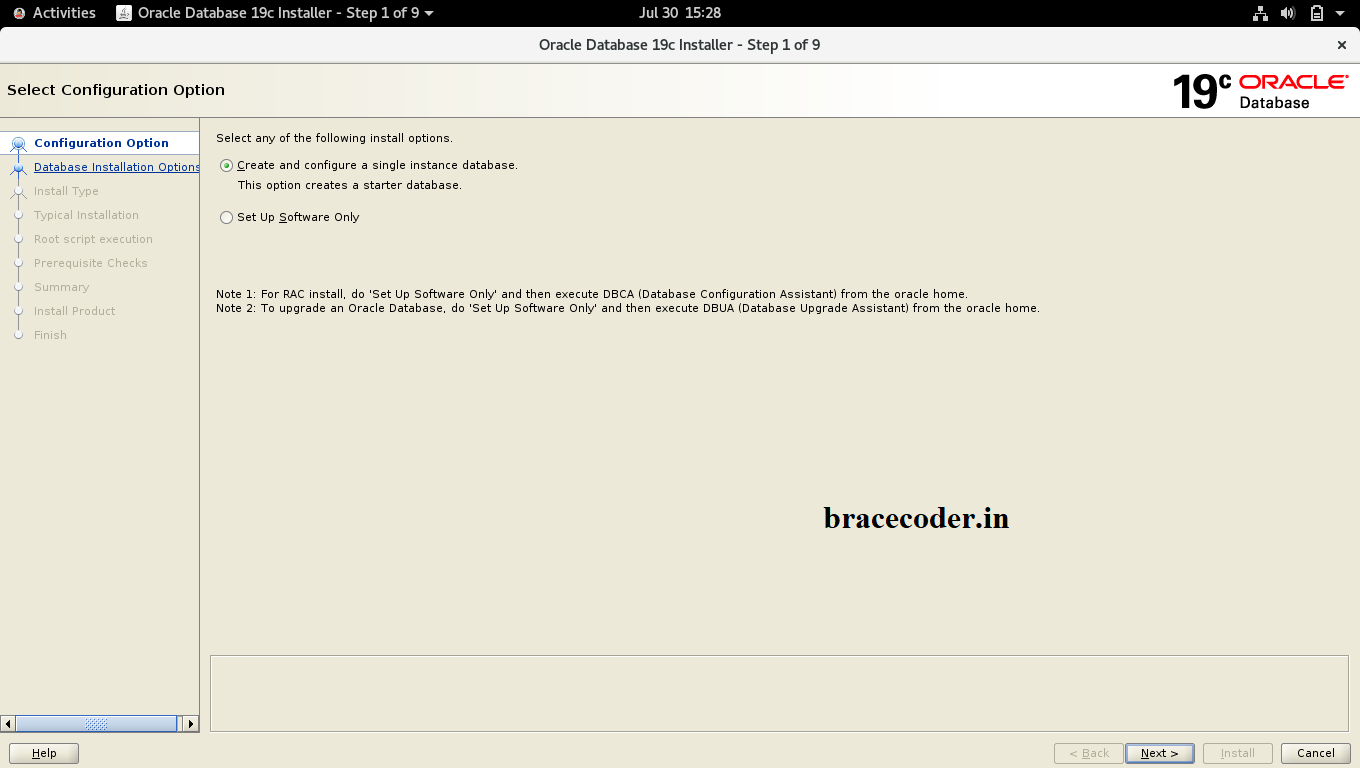
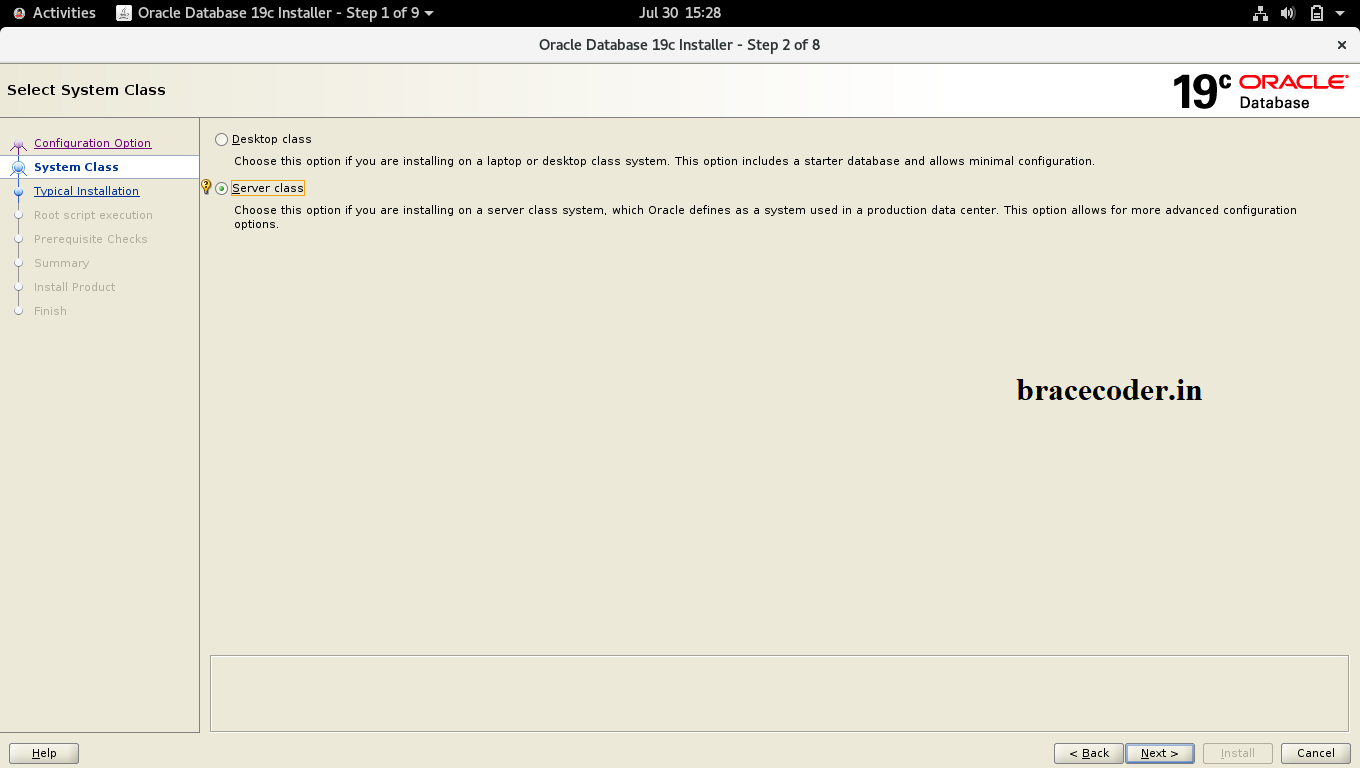
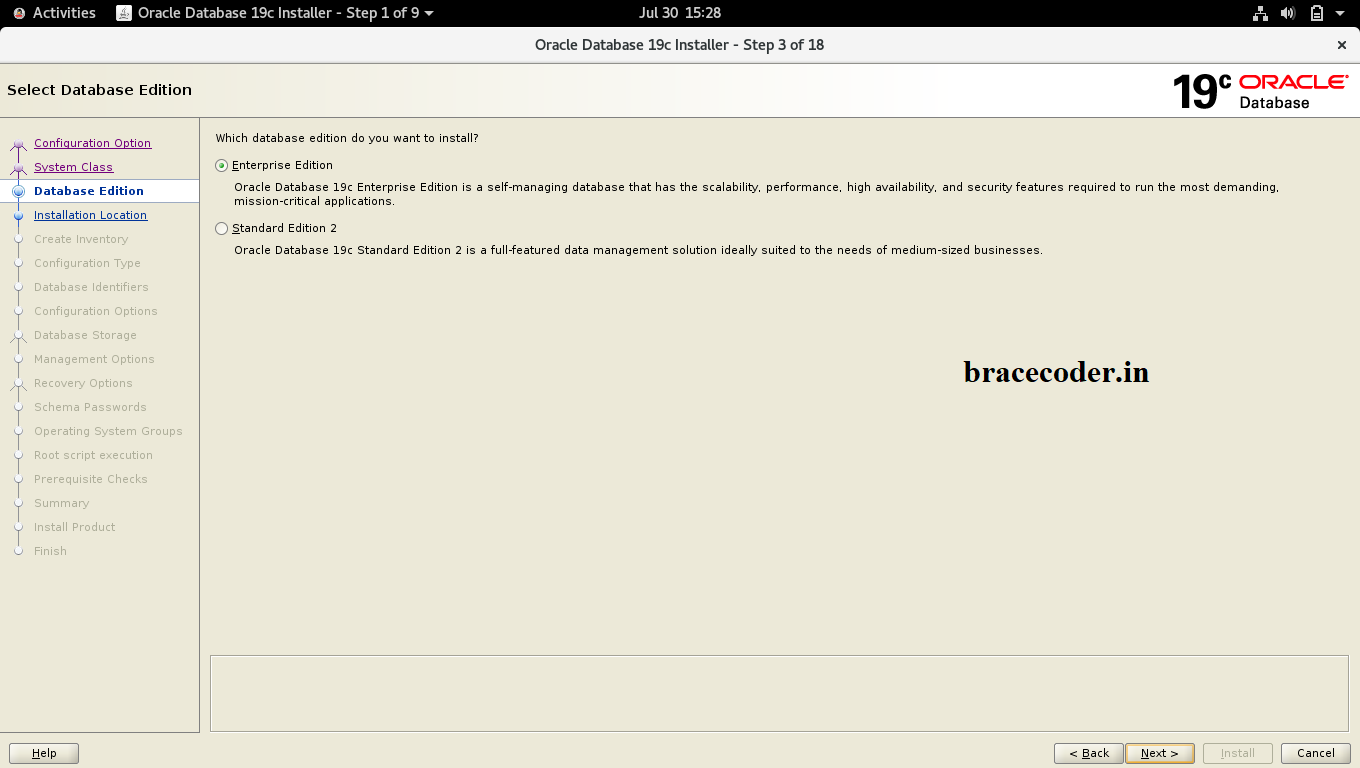
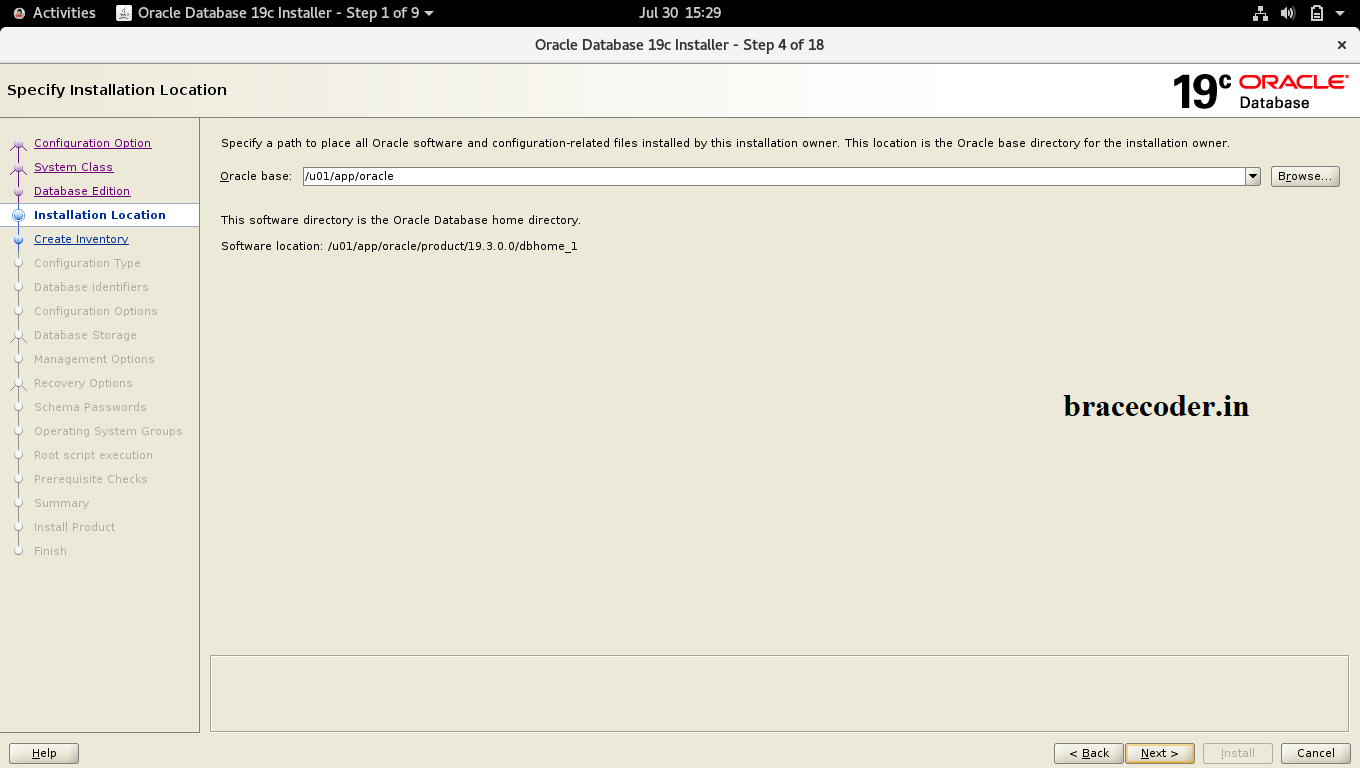
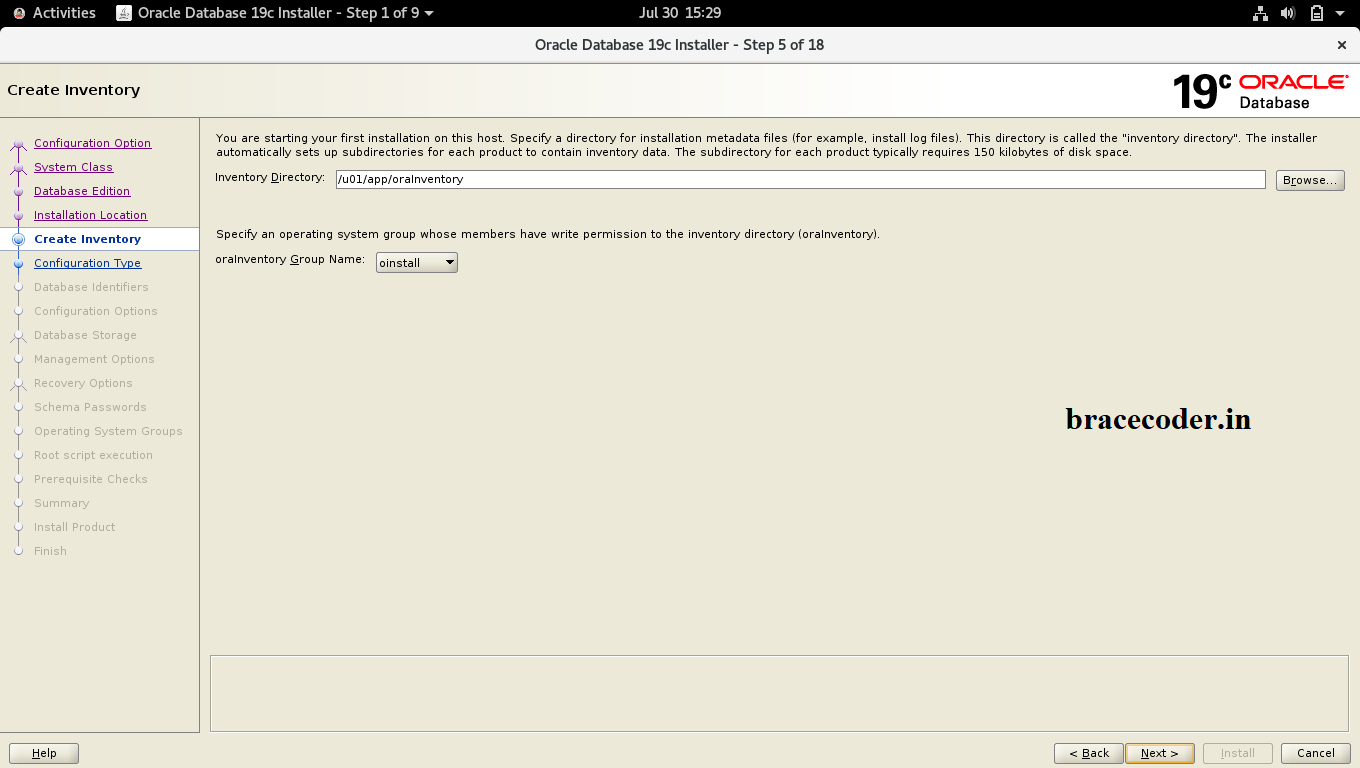
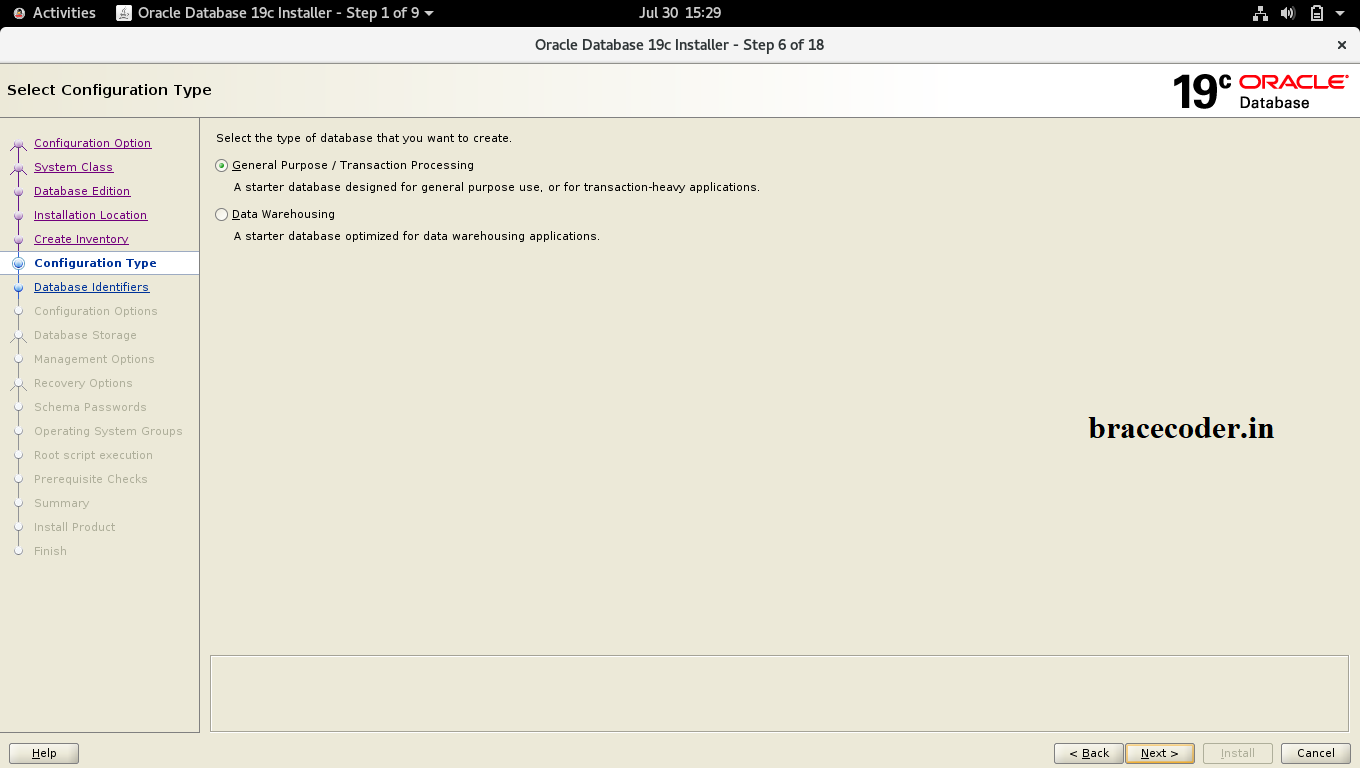
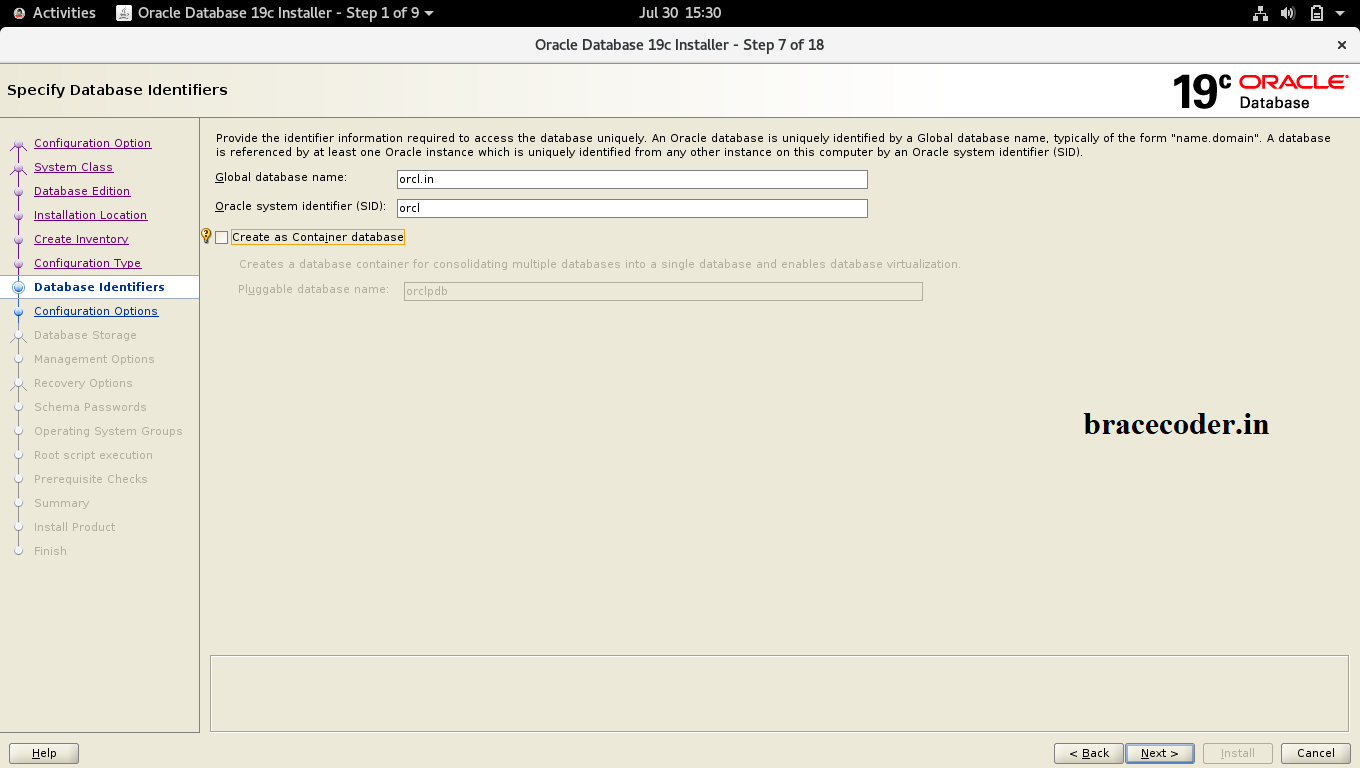
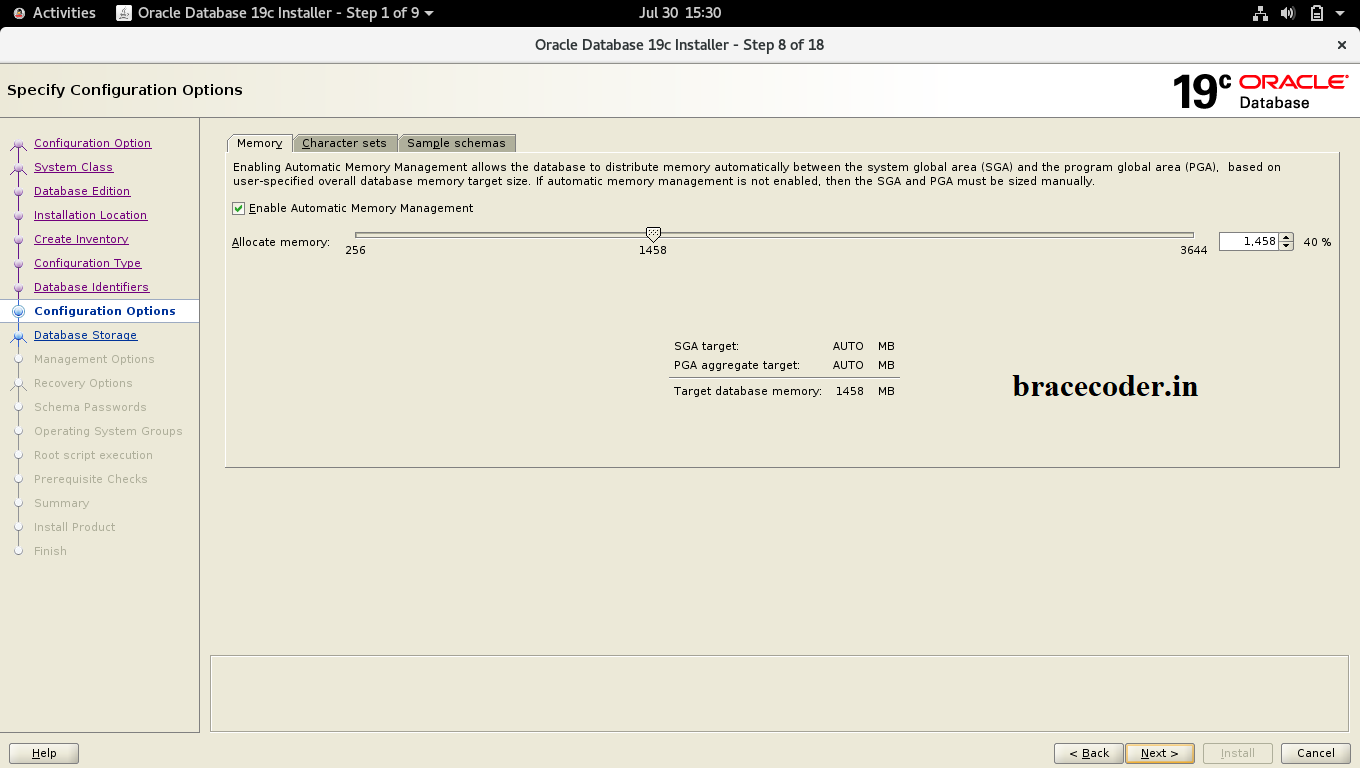
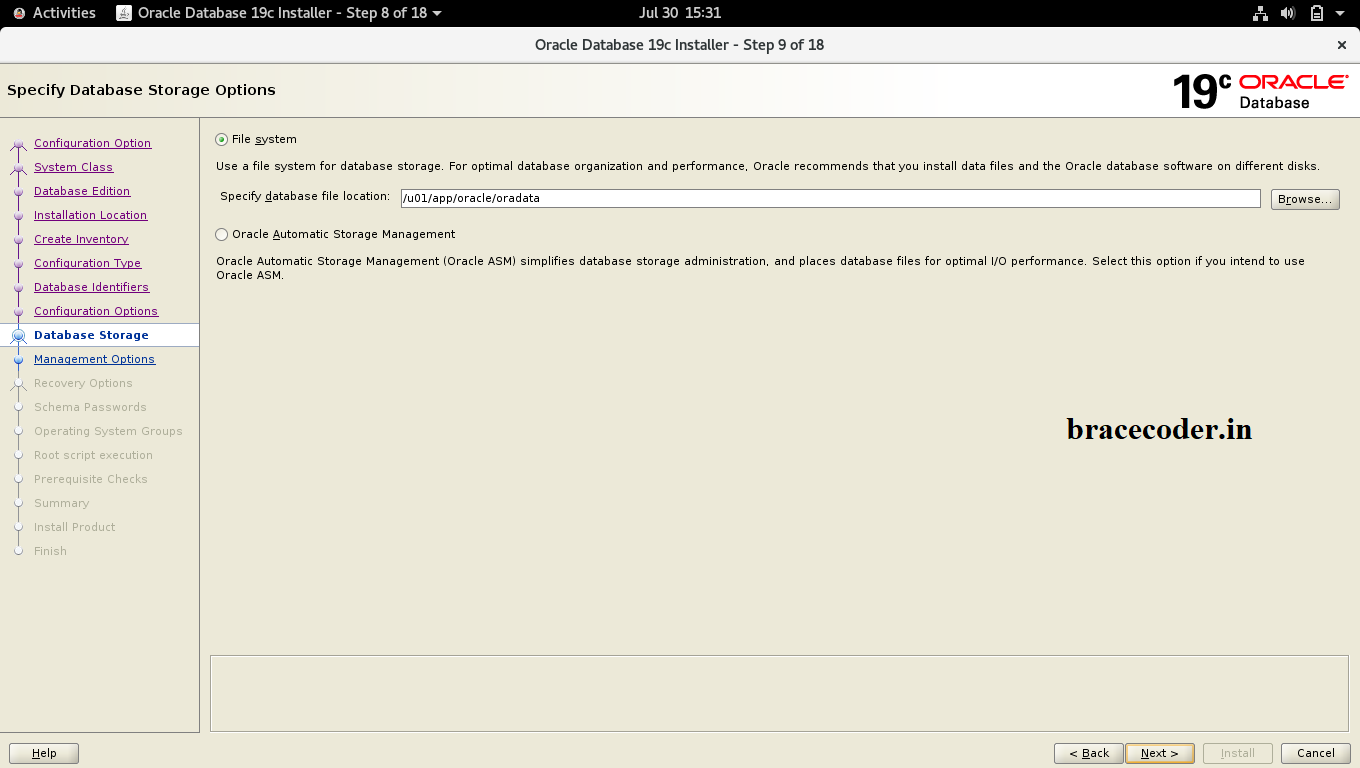
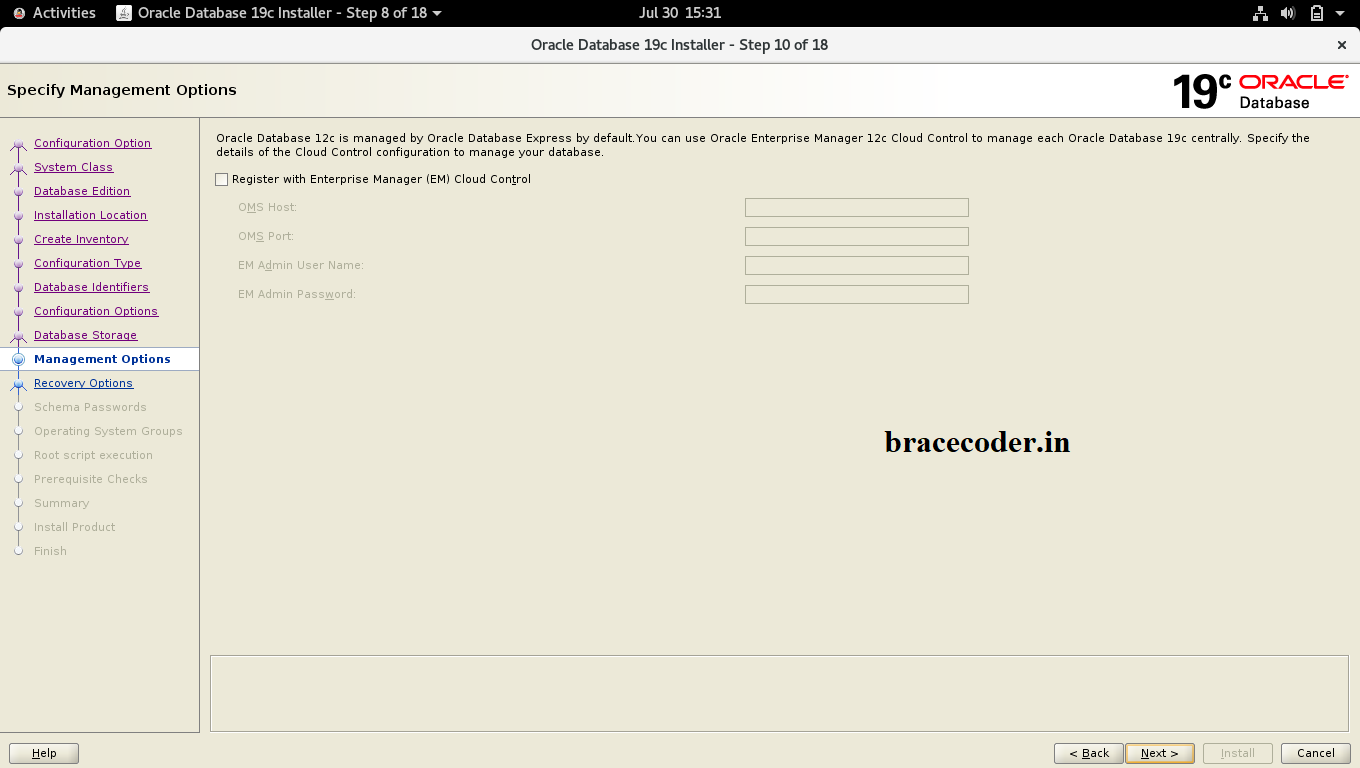
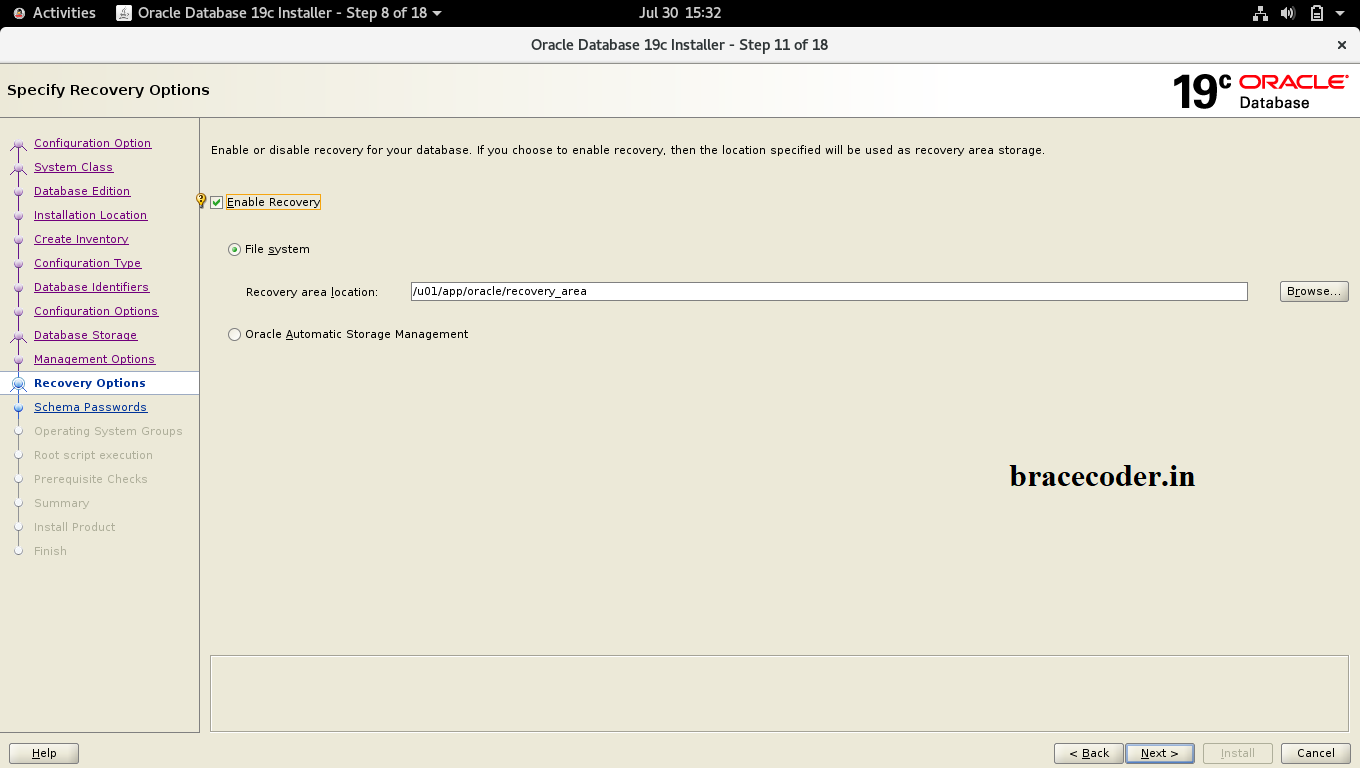
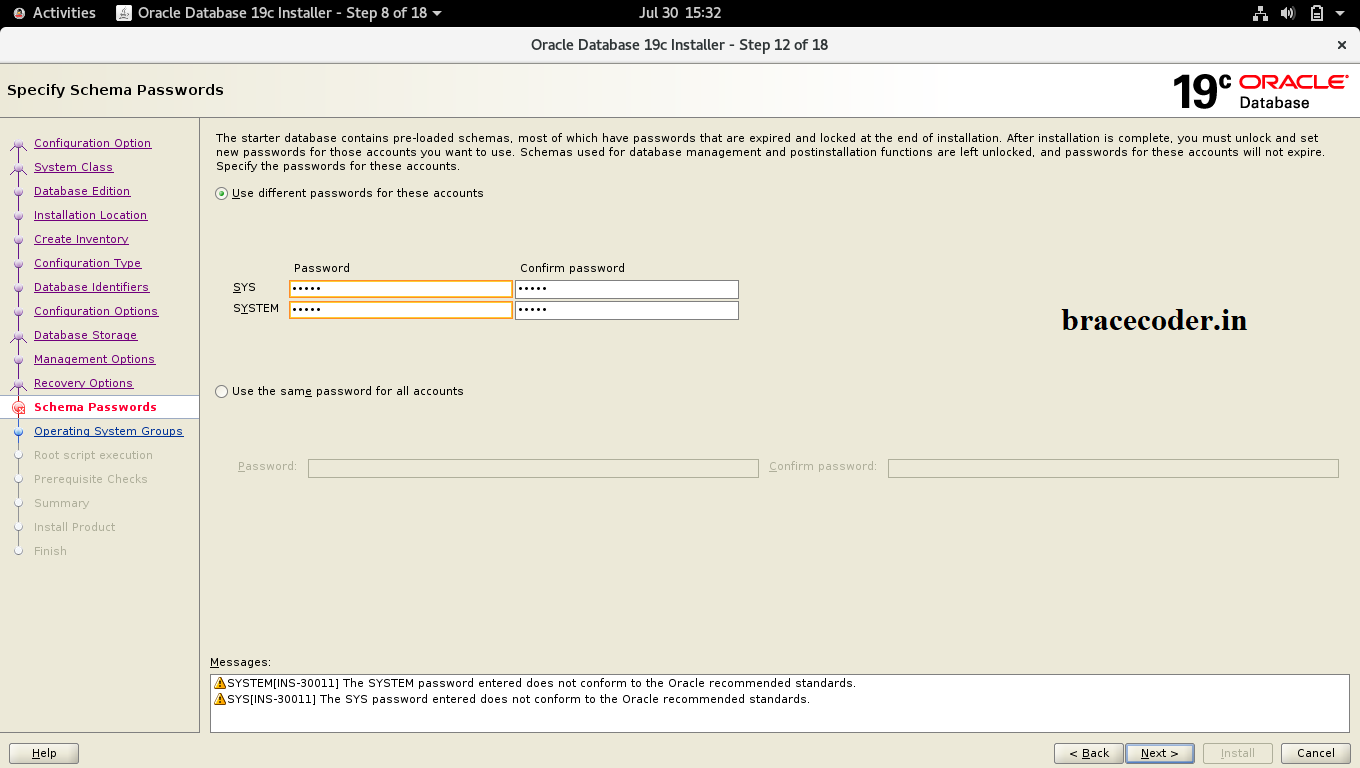
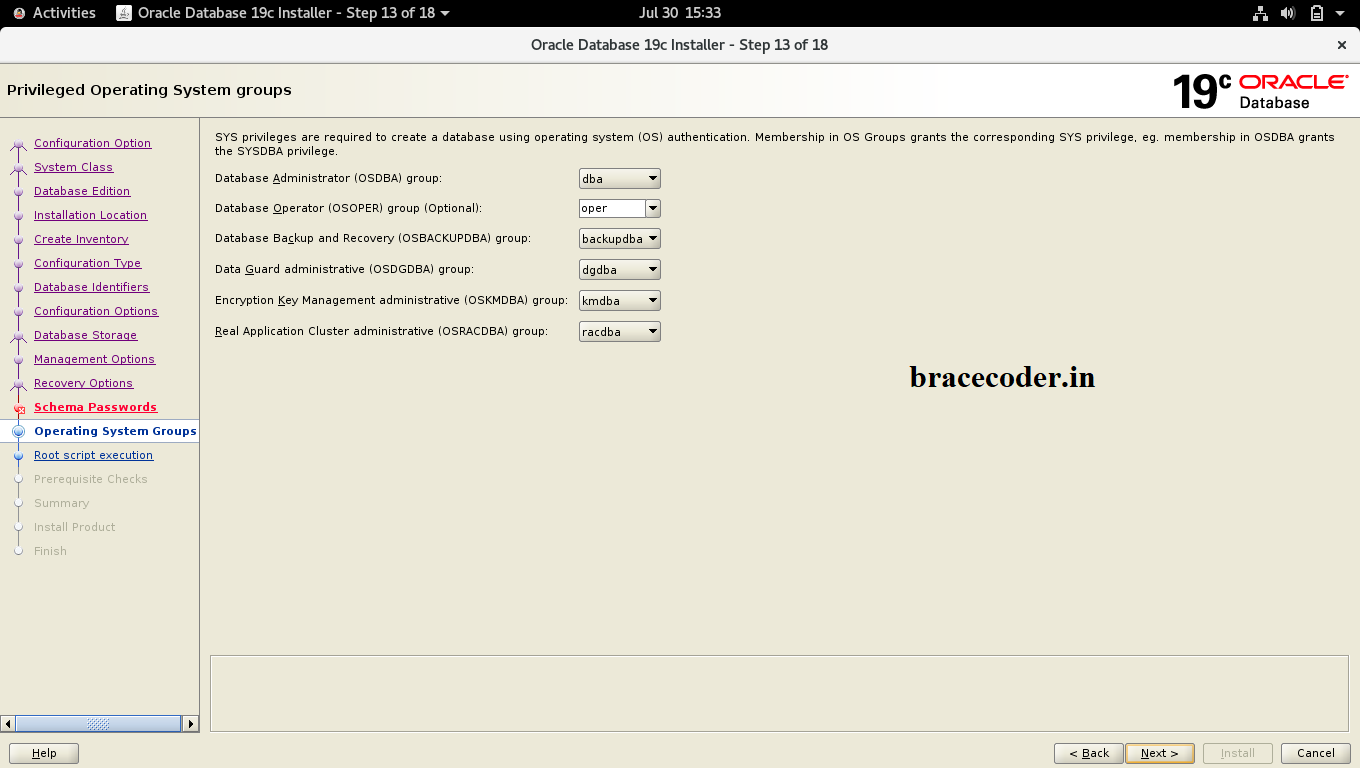
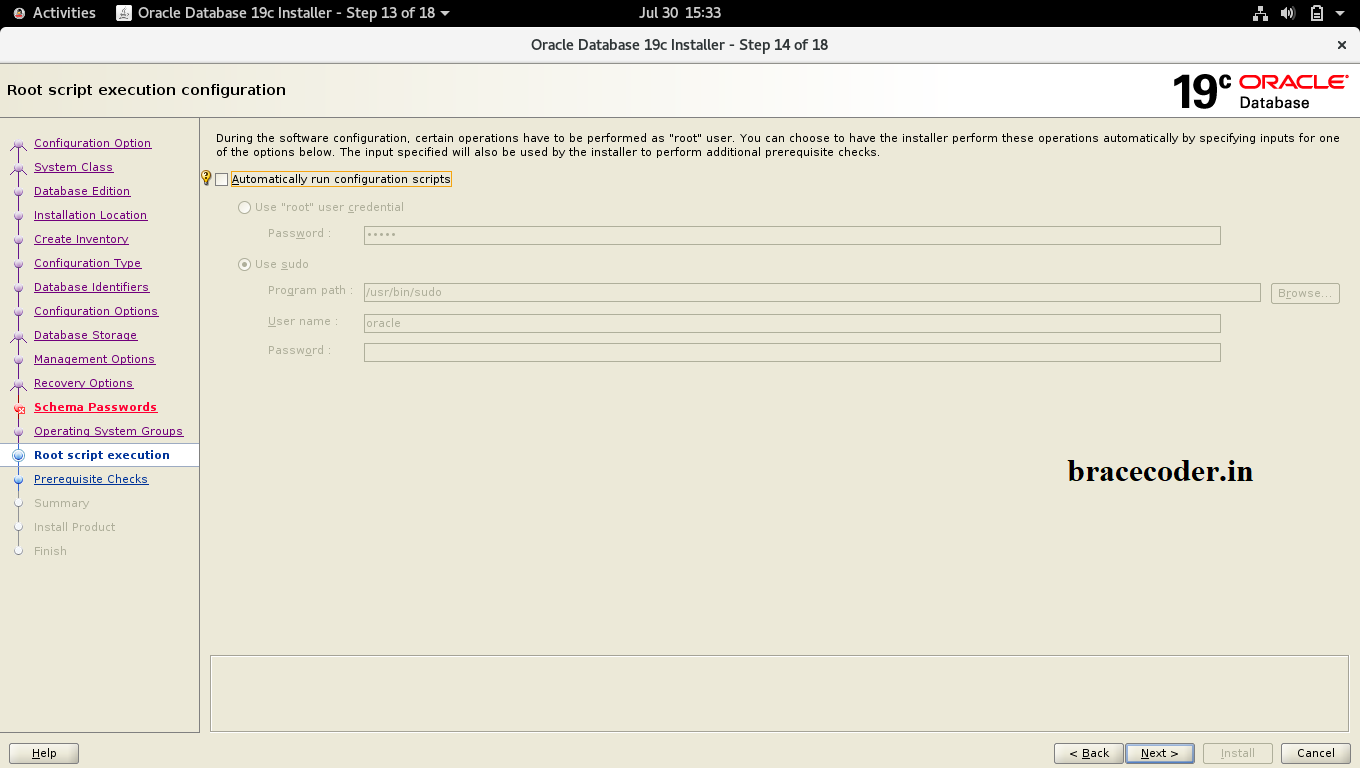
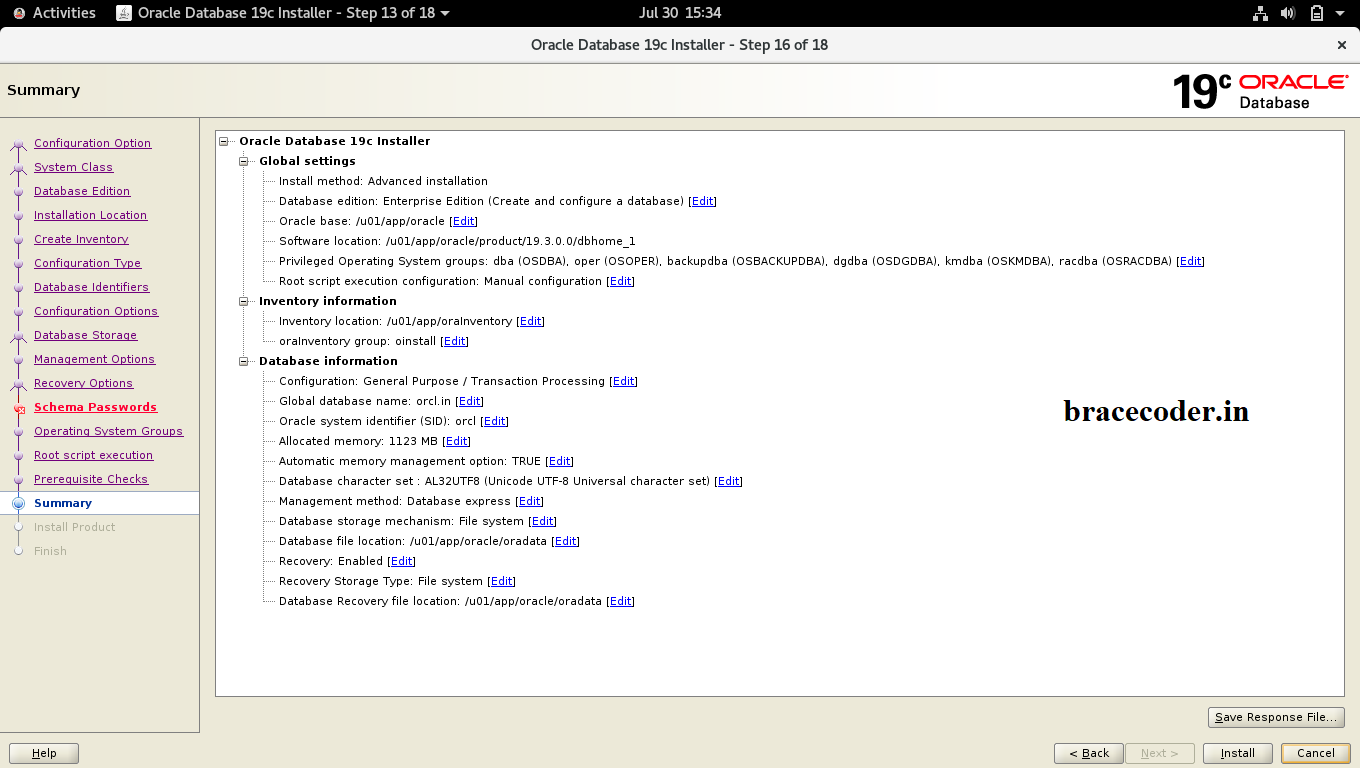
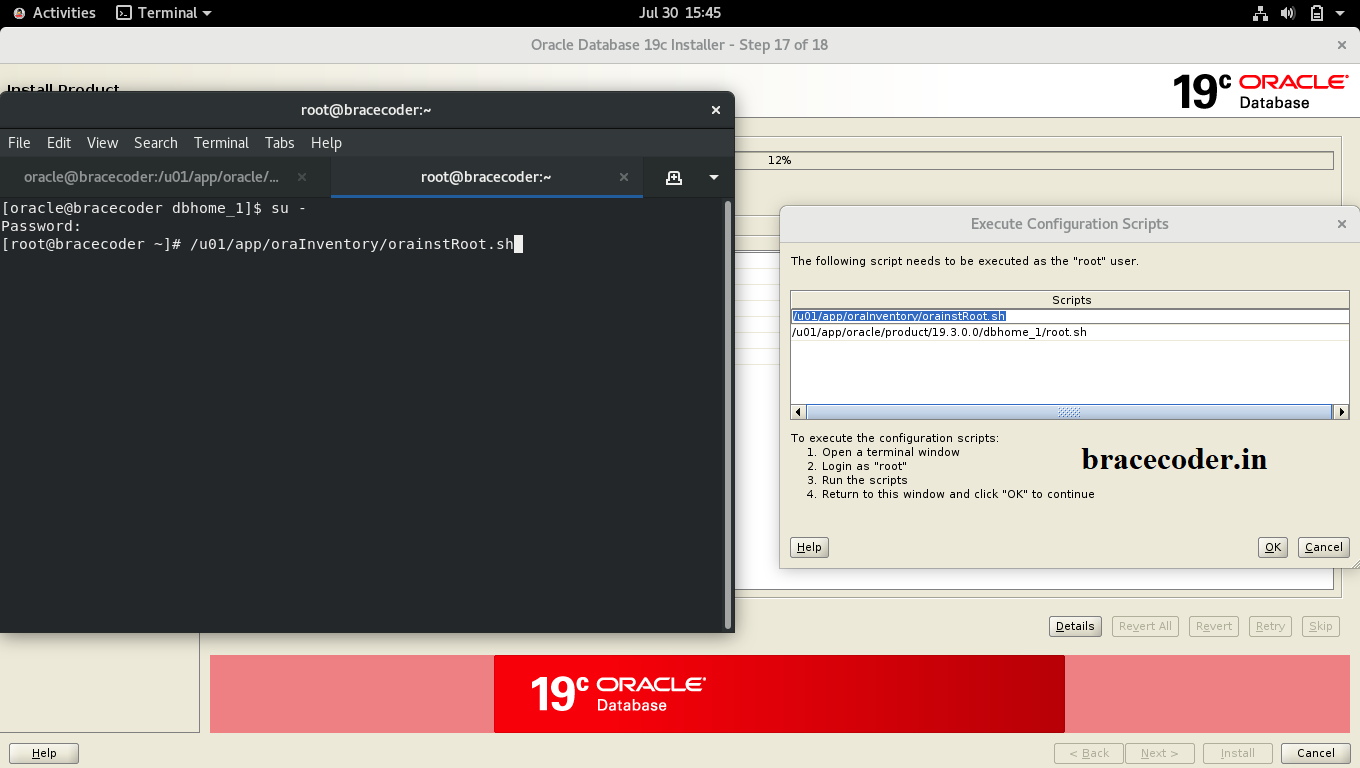
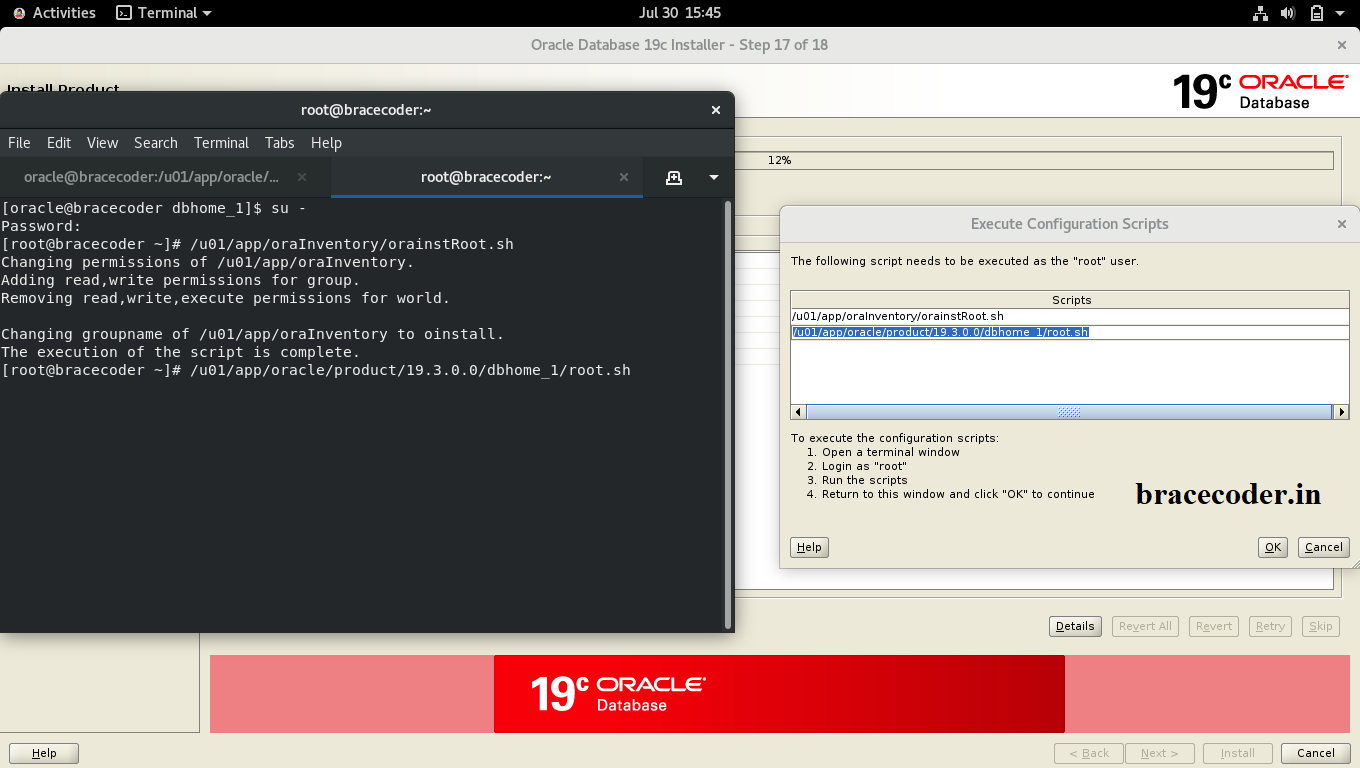
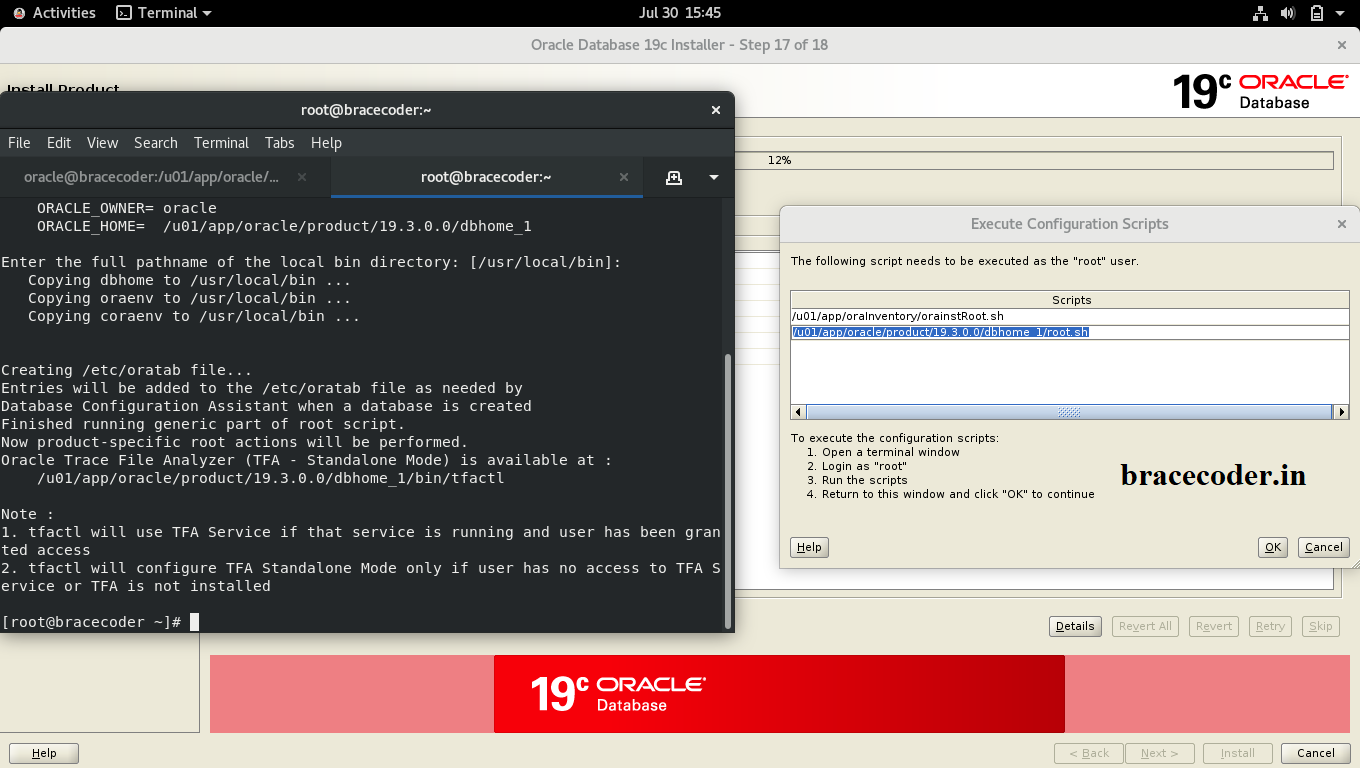
 Open the terminal and move the location to /u01/app/oracle/product/19.3.0.0/dbhome_1 and execute ./runInstaller
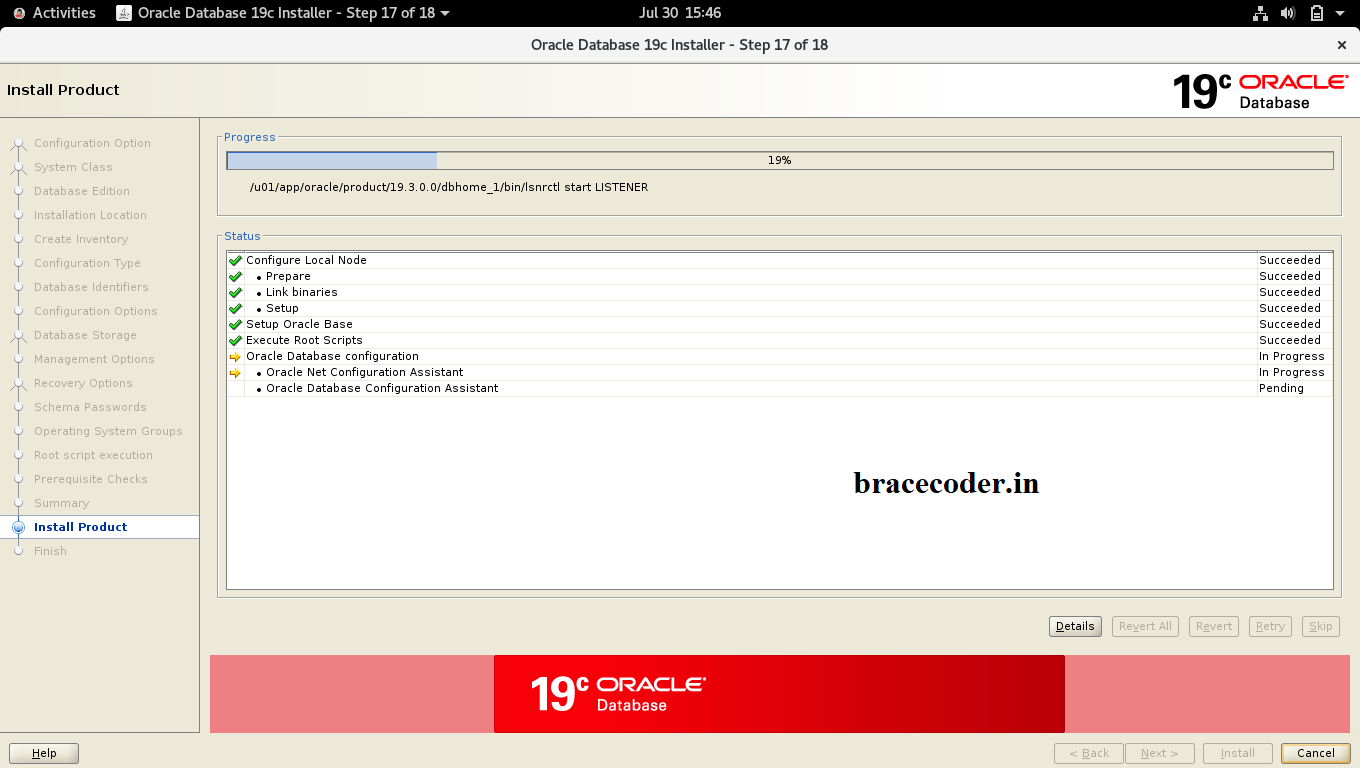
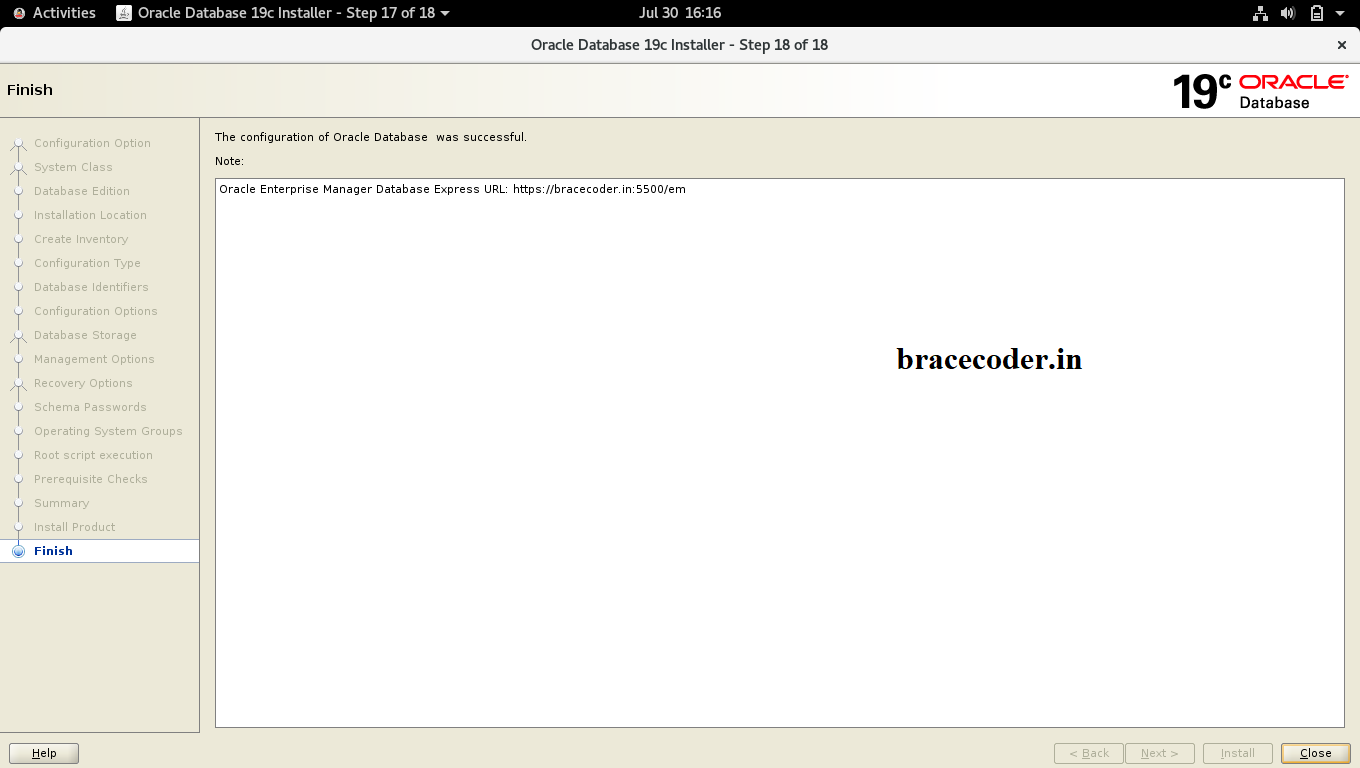
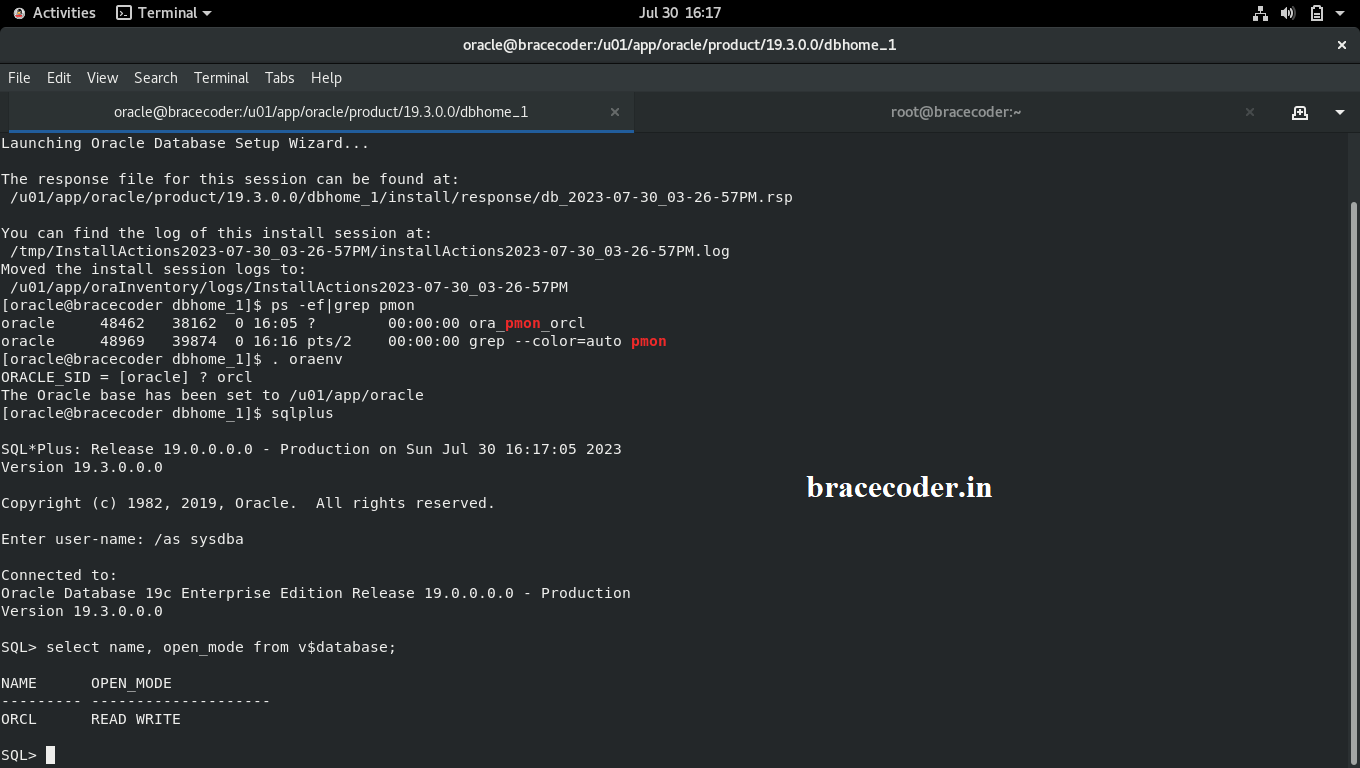 That’s it.
Oracle Database 19c is a Long-Term Support (LTS) release, which means it is designed to provide stability, reliability, and support for an extended period. Customers who require a stable and well-supported version of the database generally opt for LTS releases, as they offer long-term maintenance and bug fixes.
Prepare the Environment:
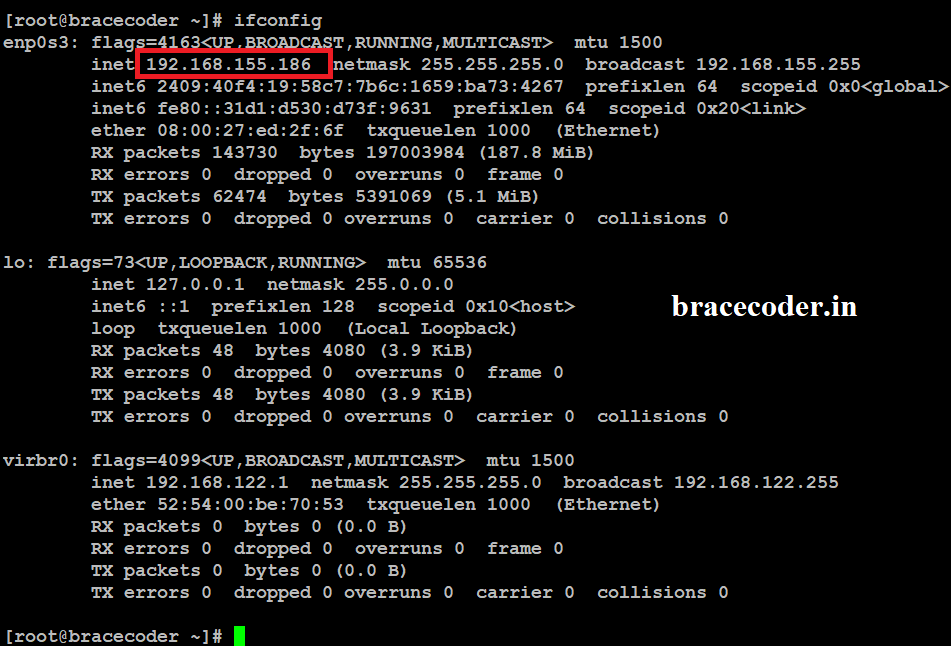
Fetch the IP address and Host name as given screenshot
Edit the file /etc/hosts as given below screenshot as per your output and save it.
Run dnf install -y oracle-database-preinstall-19c command. It will install the pre-requirement software and Configuration
BASHdnf install -y oracle-database-preinstall-19c
Oracle user account will be created as per above command. Now set Oracle user account password
Now copy the Oracle 19c.zip file from windows to Linux server as per below shown screenshot.
Stop the firewall in oracle Linux server and create new directory for use to oracle database home directory
Below steps are not mandatory. If you want to start database when server back to restart you can use the below scripts file.
Now Extract the 19c file where we copied to Oracle home (/u01/app/oracle/product/19.3.0.0/dbhome_1).
Open the terminal and move the location to /u01/app/oracle/product/19.3.0.0/dbhome_1 and execute ./runInstaller
That’s it.INFO
If you would have any questions or concerns, please leave your comments. I would be glad to explain in more details. Thank you so much for all your feedback and support!
Frequently asked questions
What does the oracle-database-preinstall-19c package do?
It creates the oracle user and the required groups, sets the kernel parameters and shell limits Oracle needs, and installs the prerequisite packages, all in one step.
Where do I unzip the Oracle 19c software?
Oracle 19c is installed from an image: unzip the file directly into the Oracle home, here
/u01/app/oracle/product/19.3.0.0/dbhome_1, then run ./runInstaller from that directory.Do I have to stop the firewall?
Stopping it is the simplest option for a lab. On a real server, keep the firewall running and open the listener port (1521 by default) instead.
Why choose Oracle Database 19c?
19c is a Long-Term Support release, so it gets fixes and support for longer than the releases around it. That makes it the usual choice for production databases.

Comments
0Please sign in to leave a comment.
No comments yet
Be the first to share your thoughts!